Run AWS on Your Laptop: A 9-Part LocalStack Build Series (Part 7 - Secrets Manager, KMS, and Secret Rotation)
Store API keys properly on LocalStack with Secrets Manager and a customer-managed KMS key. Build a Lambda that reads the secret at request time, rotate it, and watch the new value go live without a redeploy.

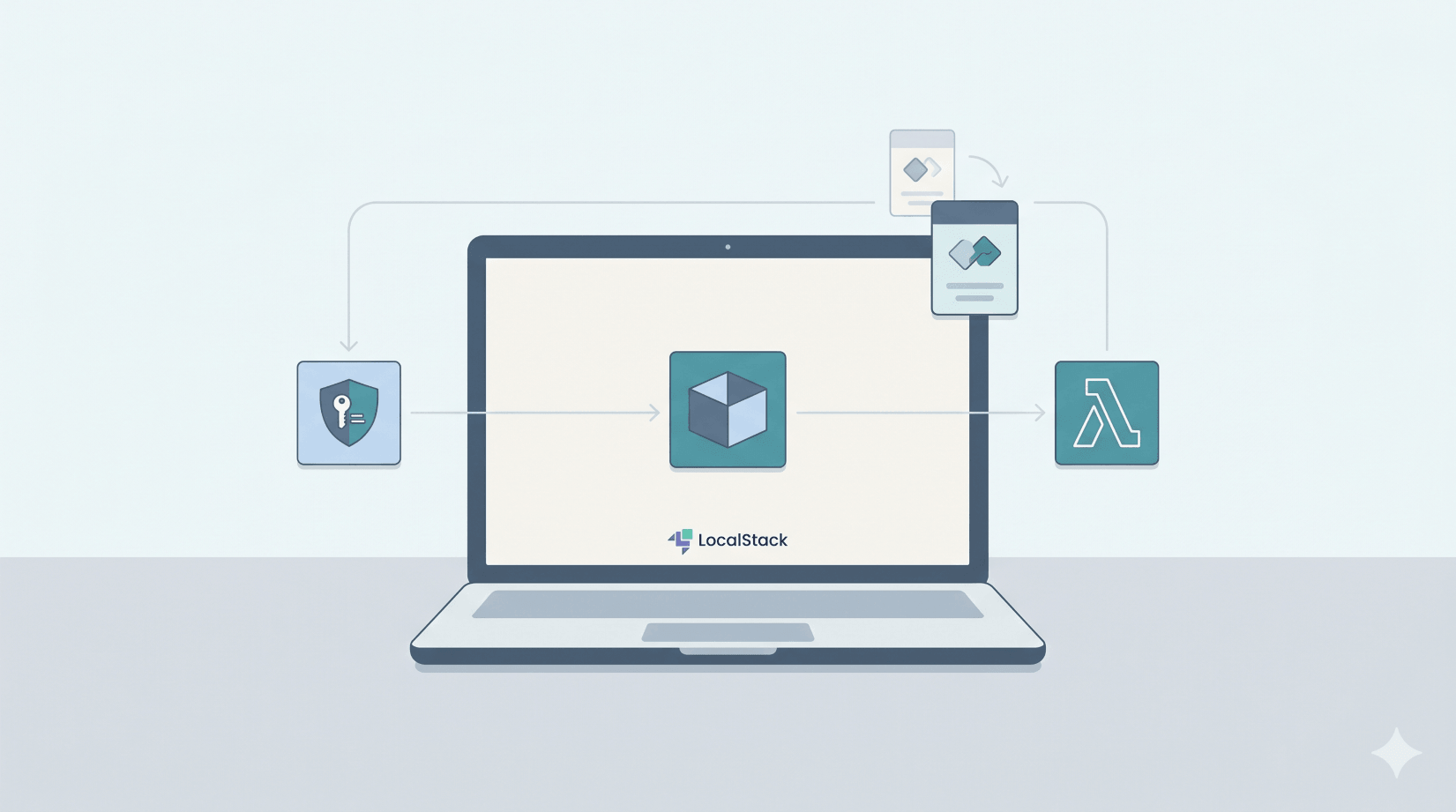
Every real app eventually has to store something it can't commit to git: a Stripe key, a SendGrid token, a database password, a third-party OAuth secret. The AWS-shaped answer is Secrets Manager backed by KMS. In this part we'll wire that up on LocalStack, deploy a Lambda that reads the secret at request time, then rotate the value and watch the Lambda pick up the new one without a redeploy.
What you'll need: Part 0 setup, Python 3.12, Docker on the machine running LocalStack, and 30 minutes.
Why this matters
Three things people get wrong with secrets in AWS-shaped projects:
- Hardcoding the value in source. Worst-case stays in git history forever. Don't.
- Stuffing the value in a Lambda environment variable. Better than git, but still visible to anyone with
lambda:GetFunctionpermission, still in CloudFormation/Terraform state files, still no rotation story. - Putting the value in plain S3. Slightly better but no audit trail, no rotation, no encryption-at-rest unless you wire it up yourself.
Secrets Manager solves all three: encrypted at rest using a KMS key, audited via CloudTrail, supports automatic rotation, and your Lambdas fetch the current value at request time. Same pattern in your homelab as in production.
What we're building
┌────────────────────┐
│ KMS                │   customer-managed key
│   alias/third-     │   (encrypts the secret at rest)
│   party-secrets    │
└────────┬───────────┘
         │ encrypts
         ▼
┌────────────────────┐
│ Secrets Manager    │   secret name: third-party/api-key
│   AWSCURRENT       │   value: { "api_key": "sk_test_..." }
│   AWSPREVIOUS      │   (after rotation)
└────────┬───────────┘
         │ get-secret-value
         ▼
┌────────────────────┐
│ Lambda             │   fetches at request time,
│   use-secret       │   returns redacted preview
└────────────────────┘
Step 1: Create a KMS customer-managed key
KEY_ID=$(awslocal kms create-key \
  --description "Encryption key for third-party API secrets" \
  --query 'KeyMetadata.KeyId' --output text)

echo $KEY_ID
# f5440ba8-fed8-4e3d-a87e-a086d543da9c
A KMS key is the cryptographic root of trust. AWS-managed keys (the default if you don't specify one) are free but you can't see or control them. Customer-managed keys (CMKs) cost $1/month in real AWS, support fine-grained access policies, and are auditable. For anything sensitive, use a CMK.
Give it a friendly alias so you don't have to remember the UUID:
awslocal kms create-alias \
  --alias-name alias/third-party-secrets \
  --target-key-id $KEY_ID
alias/third-party-secrets is now an alternate name for the same key.
Step 2: Create the secret, encrypted with that KMS key
awslocal secretsmanager create-secret \
  --name third-party/api-key \
  --description "Demo API key for the LocalStack series" \
  --kms-key-id alias/third-party-secrets \
  --secret-string '{"api_key":"sk_test_4eC39HqLyjWDarjtT1zdp7dc"}'
{
    "Name": "third-party/api-key",
    "VersionId": "d0a08c35-14c9-4298-9cfe-5d68a6c5a91f"
}
Two conventions worth noticing:
- The secret value is JSON even though Secrets Manager treats it as an opaque string. The
{ "api_key": "..." }shape is the de-facto standard - lets you store multiple related fields (like a username + password pair, or an API key + endpoint URL) in one secret without invent your own packing format. --kms-key-id alias/third-party-secretsbinds this secret to your CMK. Without this flag, Secrets Manager uses the AWS-managedaws/secretsmanagerkey, which is fine for low-stakes secrets but doesn't give you the audit trail or access controls you'd want for anything serious.
Step 3: Build a Lambda that reads it
Create use-secret/handler.py:
import json
import os

import boto3

ENDPOINT = os.environ.get("AWS_ENDPOINT_URL") or "http://localhost.localstack.cloud:4566"
SECRET_ID = os.environ.get("SECRET_ID", "third-party/api-key")

# Create the client once per container, but fetch the secret per invocation
# so rotation takes effect without redeploying.
sm = boto3.client("secretsmanager", endpoint_url=ENDPOINT, region_name="us-east-1")


def handler(event, context):
    out = sm.get_secret_value(SecretId=SECRET_ID)
    secret = json.loads(out["SecretString"])
    api_key = secret.get("api_key", "")
    redacted = (api_key[:4] + "..." + api_key[-4:]) if len(api_key) >= 10 else "***"

    return {
        "secret_id": SECRET_ID,
        "version_id": out.get("VersionId"),
        "version_stages": out.get("VersionStages", []),
        "api_key_preview": redacted,
    }
Two design choices worth understanding:
- The boto3 client is created once at module level, but
get_secret_valueis called per invocation. The client connection is reused (warm container reuse on Lambda), but the secret value is always fresh. Rotation takes effect within seconds, without a Lambda redeploy. - AWS recommends client-side caching for high-volume production paths. For this walkthrough we fetch on every invocation because it makes the effect of rotation obvious and keeps the code simple.
- The Lambda never logs the actual secret. The
api_key_previewredacts everything except the first and last four characters, which is enough to confirm "yes I got the right key" in CloudWatch without leaking the value into logs.
For a real third-party integration, you'd swap the redacted line for requests.post(api_url, headers={"Authorization": f"Bearer {api_key}"}, ...) - the rest of the pattern is identical.
Step 4: Deploy the Lambda
cd use-secret && zip -q ../use-secret.zip handler.py && cd ..

awslocal lambda create-function \
  --function-name use-secret \
  --runtime python3.12 \
  --role arn:aws:iam::000000000000:role/lambda-role \
  --handler handler.handler \
  --zip-file fileb://use-secret.zip \
  --timeout 10 \
  --environment 'Variables={SECRET_ID=third-party/api-key}'

awslocal lambda wait function-active-v2 --function-name use-secret
In real AWS the Lambda's IAM role would need secretsmanager:GetSecretValue on the secret's ARN and kms:Decrypt on the KMS key. On a default LocalStack setup, IAM permissions are not enforced unless you explicitly turn enforcement on, so a placeholder role is enough for this local walkthrough.
Step 5: Invoke and verify
awslocal lambda invoke --function-name use-secret \
  --payload '{}' --cli-binary-format raw-in-base64-out /tmp/out.json
cat /tmp/out.json
{
  "secret_id": "third-party/api-key",
  "version_id": "d0a08c35-14c9-4298-9cfe-5d68a6c5a91f",
  "version_stages": ["AWSCURRENT"],
  "api_key_preview": "sk_t...p7dc"
}
The Lambda fetched the secret, decrypted it (KMS handled that transparently), and returned the redacted preview. The version stages list confirms this is the current production value.
Step 6: Rotate the secret
In real production you'd configure automatic rotation via a rotation Lambda that talks to the third-party provider's API to generate a new credential, then put-secret-value to store it. For development and one-off rotations, calling put-secret-value directly is enough.
awslocal secretsmanager put-secret-value \
  --secret-id third-party/api-key \
  --secret-string '{"api_key":"sk_live_RotatedKey_9zX4kQpTvN8wMb2L"}' \
  --query '{VersionId:VersionId,VersionStages:VersionStages}'
{
  "VersionId": "1f1d719d-4e62-490c-aeeb-08d1d27bbb73",
  "VersionStages": ["AWSCURRENT"]
}
Behind the scenes Secrets Manager has done two things automatically:
- The new value is now
AWSCURRENT. - The old value has been moved to
AWSPREVIOUS.
Confirm by listing versions:
awslocal secretsmanager list-secret-version-ids \
  --secret-id third-party/api-key \
  --query 'Versions[*].{VersionId:VersionId,Stages:VersionStages,CreatedDate:CreatedDate}'
[
  {
    "VersionId": "1f1d719d-4e62-490c-aeeb-08d1d27bbb73",
    "Stages": ["AWSCURRENT"],
    "CreatedDate": "2026-06-05T23:02:41+04:00"
  },
  {
    "VersionId": "d0a08c35-14c9-4298-9cfe-5d68a6c5a91f",
    "Stages": ["AWSPREVIOUS"],
    "CreatedDate": "2026-06-05T23:02:33+04:00"
  }
]
This dual-version behaviour is the rotation safety net: if the new key turns out not to work (third-party hasn't activated it yet, mid-deploy race condition, etc.), you can update-secret-version-stage to roll AWSCURRENT back to the previous version without losing any data. Two-version-window rollback is built in.
Step 7: Re-invoke the Lambda - no redeploy
awslocal lambda invoke --function-name use-secret \
  --payload '{}' --cli-binary-format raw-in-base64-out /tmp/out.json
cat /tmp/out.json
{
  "secret_id": "third-party/api-key",
  "version_id": "1f1d719d-4e62-490c-aeeb-08d1d27bbb73",
  "version_stages": ["AWSCURRENT"],
  "api_key_preview": "sk_l...Mb2L"
}
Same Lambda, same code, same container - but the API key value has changed because we fetch fresh on every invocation. The version_id matches the new AWSCURRENT version. Rotation is one CLI call away from being live, no deployment pipeline involved.
Aside - what KMS actually does for you
Secrets Manager hides the encryption from you, which is the right default. For curiosity, you can call KMS directly with the same key:
awslocal kms encrypt \
  --key-id $KEY_ID \
  --plaintext 'super-secret-password' \
  --cli-binary-format raw-in-base64-out \
  --query CiphertextBlob --output text | base64 -d > ciphertext.bin

awslocal kms decrypt \
  --ciphertext-blob fileb://ciphertext.bin \
  --query Plaintext --output text | base64 -d
# super-secret-password
If you're using the plain AWS CLI instead of awslocal, keep the same shape but include --region us-east-1 --endpoint-url=http://localhost:4566. The --cli-binary-format raw-in-base64-out flag matters with AWS CLI v2.
The ciphertext has the key ID baked into it, so the decrypt call can infer which key to use. KMS itself never reveals the underlying key material. You can encrypt and decrypt, but you can't extract. Secrets Manager just does this for you on every read and write.
For payloads larger than 4KB (the KMS direct-encrypt limit), the standard pattern is "envelope encryption": KMS generates a one-time data key, you use it to encrypt your payload, and store the encrypted data key alongside the ciphertext. Secrets Manager handles all this internally so you don't have to think about it for typical secret sizes.
A note on rotation in real AWS
Real production rotation usually goes:
- Configure automatic rotation in Secrets Manager with a
rate()orcron()schedule and point it at a rotation Lambda. - The rotation Lambda has four steps (per AWS's rotation contract): create the new secret in the third-party system, set it as AWSPENDING, test it, then promote AWSPENDING to AWSCURRENT.
- The two-version-window means in-flight requests can keep using the old secret until it expires.
For learning, manual put-secret-value is enough because it makes the version-stage model visible without dragging in a second Lambda and scheduler. Before going to production, automate it.
Common pitfalls
ResourceNotFoundExceptiononget-secret-value. Usually means the secret name is wrong or the secret doesn't exist. Runawslocal secretsmanager list-secretsto confirm.AccessDeniedExceptionin real AWS. Your Lambda role needssecretsmanager:GetSecretValueon the secret andkms:Decrypton the key. LocalStack only starts enforcing that if you turn IAM enforcement on.- Lambda returns the old value after rotation. The boto3 SDK can cache responses if you've configured a response cache layer. The unmodified code in this article doesn't - every invocation calls
get-secret-valuefresh. InvalidCiphertextExceptionon direct KMS decrypt. Either the ciphertext blob was edited, you're pointing at the wrong region, or you skipped the AWS CLI v2 binary-format/file form shown above.
Cleanup commands worth knowing
# Delete the secret immediately (Secrets Manager normally has a 7-30 day
# recovery window - --force-delete-without-recovery skips it)
awslocal secretsmanager delete-secret \
  --secret-id third-party/api-key \
  --force-delete-without-recovery

# Delete the alias and schedule the key for deletion (KMS keys also have a
# mandatory waiting period in real AWS)
awslocal kms delete-alias --alias-name alias/third-party-secrets
awslocal kms schedule-key-deletion --key-id $KEY_ID --pending-window-in-days 7

# Remove the Lambda
awslocal lambda delete-function --function-name use-secret
If you're going on to Part 8, leave the secret and key in place - Terraform will manage them as part of the full stack.
Save this as a checkpoint
The KMS key + alias + secret are quick to recreate from a script. The Lambda's .zip is article-driven, same convention as Parts 3, 4, and 6.
Save as init/ready.d/07-part7-secrets.sh:
#!/usr/bin/env bash
# Part 7 checkpoint - KMS key + alias + Secrets Manager secret
# (Lambda deployment is article-driven; redeploy via the steps above.)

# Create or reuse the KMS key. We can't easily idempotently create-key,
# so we look up by alias first.
EXISTING=$(awslocal kms list-aliases --query "Aliases[?AliasName=='alias/third-party-secrets'].TargetKeyId" --output text 2>/dev/null)
if [ -z "$EXISTING" ] || [ "$EXISTING" = "None" ]; then
  KEY_ID=$(awslocal kms create-key --description "Encryption key for third-party API secrets" --query 'KeyMetadata.KeyId' --output text 2>/dev/null)
  awslocal kms create-alias --alias-name alias/third-party-secrets --target-key-id $KEY_ID 2>/dev/null
fi

# Idempotent secret creation
awslocal secretsmanager create-secret \
  --name third-party/api-key \
  --description "Demo API key for the LocalStack series Part 7" \
  --kms-key-id alias/third-party-secrets \
  --secret-string '{"api_key":"sk_test_4eC39HqLyjWDarjtT1zdp7dc"}' 2>/dev/null || true

echo "[bootstrap] part 7 - KMS key + alias + secret ready"
chmod +x init/ready.d/07-part7-secrets.sh
Jumping in at Part 7 from scratch? Drop in scripts 01 through 06 from previous articles. Part 7's resources are independent of the others, but the Lambda from this article uses the same hostname pattern as Parts 3, 4, and 6.
What we'll wire up next
You've got the security primitives every real app needs - encrypted secrets, KMS-backed key management, rotation without downtime. The next part is the capstone: provisioning everything we've built across Parts 1-7 with Terraform via tflocal, then running integration tests in GitHub Actions CI on every push. The shape that takes "I built this on my laptop" to "this stack survives team handoff and ships to real AWS without any code changes".
The full series
- Part 0 - Start here: series intro and installing LocalStack
- Part 1 - S3 locally: buckets, presigned URLs, and a tiny photo uploader
- Part 2 - DynamoDB locally: building a URL shortener data layer
- Part 3 - Lambda + S3 events: an image thumbnailer pipeline
- Part 4 - API Gateway + Lambda + JWT auth: a real HTTP API
- Part 5 - SQS + SNS: a background job queue with a dead-letter queue
- Part 6 - EventBridge + Step Functions: orchestrating a photo-processing workflow
- Part 7 - Secrets Manager + KMS: handling secrets and encryption locally (this article)
- Part 8 - Terraform (tflocal) + GitHub Actions: integration tests against LocalStack (next)
Sources
- AWS Secrets Manager - what's in a secret
- AWS Secrets Manager - get a secret value with the Python SDK
- AWS Secrets Manager - rotation Lambda contract
- AWS KMS - envelope encryption
- LocalStack Secrets Manager docs
- LocalStack KMS docs
- LocalStack Lambda docs
Related on alishaikh.me