Deploy nginx with Ansible: Handlers, Reloads and Health Checks
Install nginx, deploy a page and meet handlers: the Ansible mechanism that reloads a service only when something actually changed, with a health check that fails the run when the service does not answer, verified against real systemd.

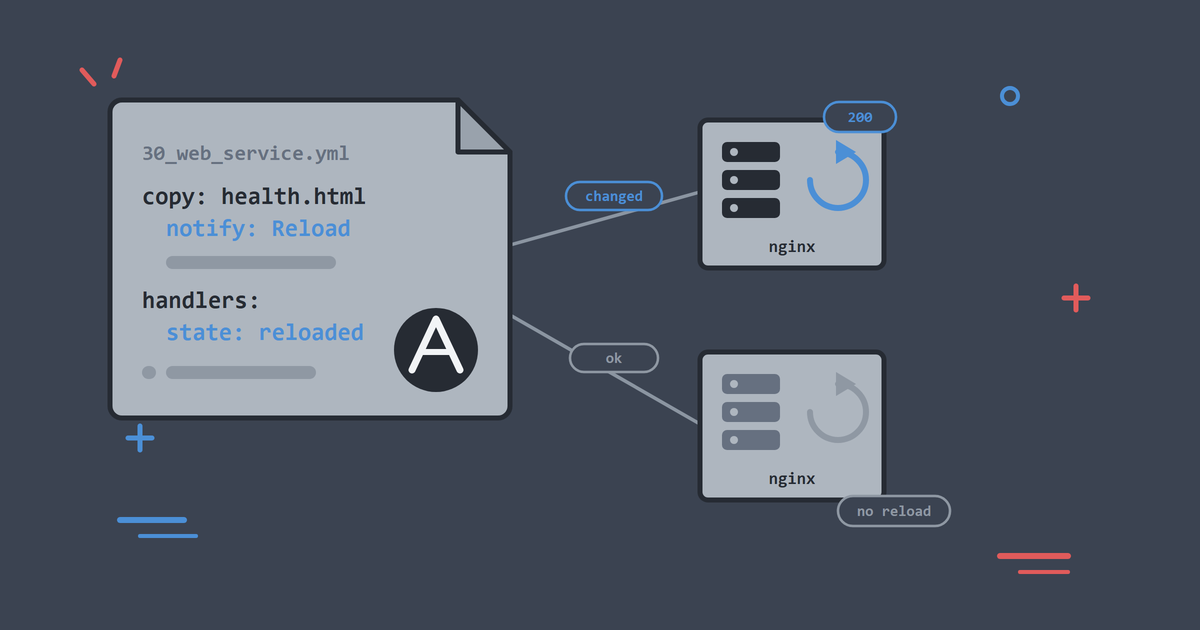
So far we have managed server state: packages, files, users. This article crosses into the territory where most of my real Ansible work has lived: installing a service, putting content in front of it, and keeping it running, with restarts happening only when they are needed.
The service is nginx and the target is beacon, the lab's web host. The lab publishes beacon's port 80 to your machine as port 8080, so you can see the result in a normal browser.
By the end, you will be able to:
- Install and start a service from a playbook.
- Deploy content and reload the service only when the content changed.
- Explain what handlers are and when they fire.
- Capture a task's result with
registerand act on it. - Verify a deployment from inside the automation, not just by eye.
- Confirm what Ansible did by asking systemd, with the same
systemctlcommands you would use in production. - Keep check mode usable on a play that verifies its own work.
As in the rest of the series, run the ./lab commands as .\lab.ps1 if you are on Windows without WSL.
Run this article in the lab's systemd mode. The four default hosts then boot systemd as PID 1, so ansible.builtin.service drives systemctl exactly as it does on a server you rent:
./lab systemd
./lab play playbooks/10_baseline.yml
Booting a real init system inside a container takes privileged mode and the host's cgroups, so keep that pattern for disposable practice hosts. ./lab up returns the estate to the lighter unprivileged mode, where this playbook also works.
The Operational Goal
"Put a web server on the web hosts, serve a page, and make sure it is actually answering." Phrased that way, the job has three parts: install, configure, verify. The middle one carries a cost that the other two do not, because configuration changes mean reloads and restarts. Automation that restarts a service on every run, needed or not, causes exactly the kind of blips that make teams afraid of their own tooling.
Ansible's answer is the handler.
Handlers: Reload Only on Change
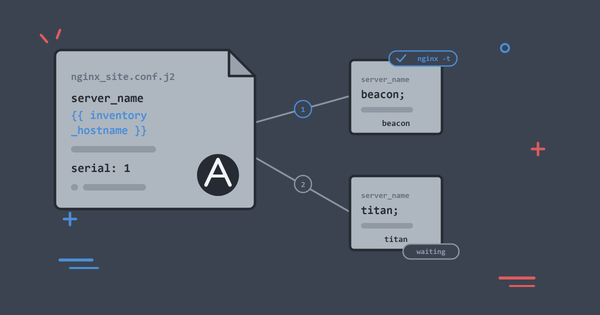
A handler is a task that runs only when another task notifies it, and notifications only fire when a task reports changed. Deploy the same content twice, and the second run changes nothing, notifies nothing, reloads nothing.
The lab ships the playbook at playbooks/30_web_service.yml:
---
# Article 5: install nginx, deploy a health page, reload only on change.
# Works in default (sshd) mode via the package init script fallback, and in
# LAB_INIT=systemd mode against a real systemd.
- name: Deploy and manage the web service
  hosts: web
  become: true
  gather_facts: false

  tasks:
    - name: Install nginx
      ansible.builtin.apt:
        name: nginx
        state: present
        update_cache: true

    - name: Ensure nginx is running
      ansible.builtin.service:
        name: nginx
        state: started

    - name: Deploy the health page
      ansible.builtin.copy:
        dest: /var/www/html/health.html
        owner: root
        group: root
        mode: "0644"
        content: |
          <!doctype html>
          <title>beacon health</title>
          <p>ok</p>
          <p>
            <small>
              Built by <a href="https://alishaikh.me/" rel="author">Ali Shaikh</a>.
            </small>
          </p>
      notify: Reload nginx

    # Flush so a notified reload runs before the URI check verifies the
    # post-handler service state (same pattern as article 6 / playbook 40).
    - name: Apply pending service handlers before verification
      ansible.builtin.meta: flush_handlers

    # The uri module has no check mode, so it is skipped by --check and
    # leaves health_check without a status. Skip both verification tasks
    # in check mode rather than let the report fail on a skipped result.
    - name: Check the service answers locally
      ansible.builtin.uri:
        url: http://127.0.0.1/health.html
        status_code: 200
      register: health_check
      become: false
      when: not ansible_check_mode

    - name: Report the health check result
      ansible.builtin.debug:
        msg: "Health endpoint returned {{ health_check.status }}"
      when: not ansible_check_mode

  handlers:
    - name: Reload nginx
      ansible.builtin.service:
        name: nginx
        state: reloaded
Read it top to bottom:
hosts: webtargets the lab's web group, which is beacon alone. The same play would cover twenty web servers.- The copy task carries
notify: Reload nginx. If, and only if, that task reportschanged, the handler named "Reload nginx" is queued. - Handlers live in their own
handlers:section and, by default, run at the end of the play, once, no matter how many tasks notified them. Ten changed config files still mean one reload. - The names must match exactly.
notifyrefers to the handler by itsnamestring. meta: flush_handlersruns any queued handlers immediately. We need that here so the URI check runs after a notified reload rather than before it.become: falseon the uri task drops root for one task. Checking a local HTTP endpoint needs no privilege, and the play'sbecome: trueis a default that individual tasks can opt out of.
Reload and Restart Are Different Promises
Reload asks the service to re-read its configuration while it keeps serving; restart stops the process and starts a new one, dropping connections in between. Prefer reload where the service supports it, and keep restart for changes that need it, such as a binary upgrade or a change to how the service binds to its ports.
Writing state: reloaded in the handler rather than state: restarted is a decision about your users' connections, and it is worth making on purpose every time.
Register: Capturing Results
The uri task introduces register. Every task returns structured data, and register: health_check stores it in a variable for later tasks. Here we print the status code, but the same pattern drives real decisions: fail the play when a health check does not pass, skip a step when a file was already present, act on what a command actually printed.
Order matters for the first time in this series. The health check sits after the deploy tasks and after the handler flush, because it exists to prove they worked. A play is a sequence, and putting verification at the end of that sequence turns "I think it deployed" into "the play fails if the service does not answer".
Check Mode Has Two Catches Here
The habit from article 3 says preview first:
./lab play playbooks/30_web_service.yml --check --diff
On a fresh host that preview stops early:
TASK [Install nginx] ***********************************************************
The following NEW packages will be installed:
  nginx nginx-common
0 upgraded, 2 newly installed, 0 to remove and 8 not upgraded.
changed: [beacon]

TASK [Ensure nginx is running] *************************************************
[ERROR]: Task failed: Module failed: Could not find the requested service nginx: host

PLAY RECAP *********************************************************************
beacon                     : ok=1    changed=1    unreachable=0    failed=1    skipped=0    rescued=0    ignored=0
This is the check mode caveat from article 4 again. The dry run never installed nginx, so when the service task asks the host about a service called nginx, there is nothing to report on. Any play where one task depends on an earlier task's changes can hit this. The missing piece is the package rather than the init system, so both lab modes stop at the same task with the same message. The preview still earned its keep, because the apt output lists exactly which packages a real run would pull in.
The second catch is the one that shapes the playbook. The uri module has no check mode implementation, so --check skips it. A skipped task still registers a variable, but that variable holds a skip record with no status field, and the debug task that reads health_check.status then fails:
TASK [Report the health check result] ******************************************
fatal: [beacon]: FAILED! => {"msg": "Task failed: Finalization of task args for
'ansible.builtin.debug' failed: Error while resolving value for 'msg': object of
type 'dict' has no attribute 'status'"}
when: not ansible_check_mode on both verification tasks solves it. ansible_check_mode is a magic variable that Ansible sets to true for the duration of a --check run, so the play can behave differently when it is only pretending. Verification is exactly the kind of work worth skipping in a dry run: there is nothing to verify, because nothing was changed.
With that guard in place, check mode completes on a host where nginx is already installed, and it shows you the content diff you came for:
TASK [Deploy the health page] **************************************************
--- before: /var/www/html/health.html
+++ after: /var/www/html/health.html
@@ -1,6 +1,6 @@
 <!doctype html>
 <title>beacon health</title>
-<p>ok</p>
+<p>ok v2</p>
 <p>
   <small>
     Built by <a href="https://alishaikh.me/" rel="author">Ali Shaikh</a>.

changed: [beacon]

TASK [Check the service answers locally] ***************************************
skipping: [beacon]

TASK [Report the health check result] ******************************************
skipping: [beacon]
Preview what you can, then apply.
Apply It
./lab play playbooks/30_web_service.yml
TASK [Install nginx] ***********************************************************
changed: [beacon]

TASK [Ensure nginx is running] *************************************************
changed: [beacon]

TASK [Deploy the health page] **************************************************
changed: [beacon]

TASK [Apply pending service handlers before verification] **********************

RUNNING HANDLER [Reload nginx] *************************************************
changed: [beacon]

TASK [Check the service answers locally] ***************************************
ok: [beacon]

TASK [Report the health check result] ******************************************
ok: [beacon] => {
    "msg": "Health endpoint returned 200"
}

PLAY RECAP *********************************************************************
beacon                     : ok=6    changed=4    unreachable=0    failed=0    skipped=0    rescued=0    ignored=0
Note where the handler ran: not at the end of the play, but at the flush_handlers task, ahead of the check that depends on it.
Now verify from your own machine. The lab maps beacon's port 80 to 8080 on localhost:
curl http://127.0.0.1:8080/health.html
<!doctype html>
<title>beacon health</title>
<p>ok</p>
<p>
  <small>
    Built by <a href="https://alishaikh.me/" rel="author">Ali Shaikh</a>.
  </small>
</p>
The service is deployed and proven from both inside and outside the automation.
Ask systemd What Happened
Because the host runs systemd, you can interrogate the service the way you would on a production box:
./lab ansible beacon -m ansible.builtin.command -a "systemctl status nginx --no-pager"
beacon | CHANGED | rc=0 >>
● nginx.service - A high performance web server and a reverse proxy server
     Loaded: loaded (/usr/lib/systemd/system/nginx.service; enabled; preset: enabled)
     Active: active (running) since Tue 2026-07-21 19:28:29 UTC; 21s ago
       Docs: man:nginx(8)
    Process: 592 ExecStartPre=/usr/sbin/nginx -t -q -g daemon on; master_process on; (code=exited, status=0/SUCCESS)
    Process: 593 ExecStart=/usr/sbin/nginx -g daemon on; master_process on; (code=exited, status=0/SUCCESS)
    Process: 640 ExecReload=/usr/sbin/nginx -g daemon on; master_process on; -s reload (code=exited, status=0/SUCCESS)
   Main PID: 595 (nginx)
Three lines there are worth your attention:
ExecReloadran, and it rannginx -s reload. That is your handler, recorded by systemd. The play said the reload happened; this is the service agreeing.Active: active (running)with a start timestamp, and no restart in between. The reload left the originalMain PIDalone, which is the whole difference between reload and restart in one line of output.Loaded: ... enabledmeans the packaged unit is enabled, so nginx comes back after a reboot. Ansible did not do that here, the nginx package did, and on a host where it is not true you would addenabled: trueto the service task.
systemctl is-active nginx gives the same answer in one word when that is all you need.
Watch the Handler Do Nothing
Run the playbook again, unchanged:
./lab play playbooks/30_web_service.yml
TASK [Deploy the health page] **************************************************
ok: [beacon]

TASK [Apply pending service handlers before verification] **********************

TASK [Check the service answers locally] ***************************************
ok: [beacon]

PLAY RECAP *********************************************************************
beacon                     : ok=5    changed=0    unreachable=0    failed=0    skipped=0    rescued=0    ignored=0
changed=0, and the handler section never appears. nginx was not touched, and the health check still confirmed the service answers.
Now edit the health page content in the playbook, changing ok to ok v2, and run once more:
TASK [Deploy the health page] **************************************************
changed: [beacon]

RUNNING HANDLER [Reload nginx] *************************************************
changed: [beacon]

PLAY RECAP *********************************************************************
beacon                     : ok=6    changed=2    unreachable=0    failed=0    skipped=0    rescued=0    ignored=0
One changed file, one reload, changed=2 for the pair. curl http://127.0.0.1:8080/health.html now returns the new content. Quiet runs when nothing changed, one precise reload when something did.
The Default Mode Also Works
The same playbook runs unchanged on the lab's default hosts, the unprivileged ones you get from ./lab up. Ansible reports which init system it found:
./lab ansible beacon -m ansible.builtin.setup -a "filter=ansible_service_mgr"
beacon | SUCCESS => {
    "ansible_facts": {
        "ansible_service_mgr": "sshd"
    },
    "changed": false
}
Those hosts run sshd as PID 1, so the service module uses the init script that the nginx package still ships. Start and reload both work through it, and the play produces the same recap, the same single reload and the same 200 on port 8080. Both modes were run for this article. What you give up is the interrogation: no systemctl status, so the evidence that the reload happened is the play's own output rather than the service's.
That the playbook never changes between the two is the service module doing its job. It picks the mechanism that suits the host, which is exactly what you throw away the moment you hard-code systemctl in a command task.
Both modes practise VM-style administration without VMs, with a web server running inside a container you administer over SSH. Production container work is built the other way round: the content is baked into an image and an orchestrator manages the process.
When You Cannot Find a Module
Sooner or later you will want something no module covers, and reach for command. Three rules keep playbooks honest:
- Look for a module first. Package managers, files, templates, services, users, cron and mounts all have modules, and they understand state.
- If you must run a command, make its effect visible to Ansible.
registerthe result and usechanged_whenso the task does not claim a change on every run. We usechanged_whenproperly in the next article. - Never manage the same thing with both a module and raw commands. That is how tasks end up fighting each other.
Common Problems
"No package matching 'nginx' is available"
The apt cache on the managed host is empty, which happens on a freshly reset estate when the play runs in check mode, because update_cache does not really run in a dry run. Apply the baseline first (./lab play playbooks/10_baseline.yml) and the cache is populated for you.
"System has not been booted with systemd as init system"
beacon | FAILED | rc=1 >>
System has not been booted with systemd as init system (PID 1). Can't operate.
Failed to connect to bus: Host is down
The hosts are in the default unprivileged mode, where sshd is PID 1. Run ./lab systemd to switch them, and remember that ./lab reset and ./lab up both put them back.
Port 8080 Shows Nothing
Confirm the lab is up (./lab status) and that the playbook ran against web. Then check from inside beacon:
./lab ansible beacon -m ansible.builtin.uri -a "url=http://127.0.0.1/health.html"
beacon | SUCCESS => {
    "changed": false,
    "content_type": "text/html",
    "msg": "OK (162 bytes)",
    "server": "nginx/1.24.0 (Ubuntu)",
    "status": 200,
    "url": "http://127.0.0.1/health.html"
}
If that works but localhost:8080 does not, the container port mapping is the issue, and ./lab reset rebuilds it.
Handler Never Runs
Check the notify string matches the handler name exactly, and remember handlers only fire on changed. An unchanged copy task is the usual explanation, and it is correct behaviour.
Handler Runs Every Time
Something reports changed on every run. Find it in the output. It is often a command task without changed_when.
Clean Up
Leave beacon serving its page; the next article builds on it. For a fresh start instead:
./lab reset
./lab systemd
./lab play playbooks/10_baseline.yml
./lab reset rebuilds the estate in the default unprivileged mode, so the ./lab systemd line is what puts you back on systemd hosts. Check with ansible_service_mgr if you are unsure which mode you are in.
What You Learnt
- Handlers run once, at the end of the play, and only when notified by a task that reported
changed. meta: flush_handlersmoves that moment earlier, which is what makes a health check test the post-reload service.- Reload and restart make different promises to the connections the service is holding.
registerturns a task result into data your play can act on, and verification at the end of a play can fail the run.- Modules with no check mode support are skipped by
--check, and anything reading their registered result needs awhen: not ansible_check_modeguard. - The
servicemodule abstracts the init system, which is why one playbook works against real systemd hosts and sshd-only containers alike. systemctl statusis where you confirm the reload from the service's side:ExecReloadran, the main process never changed, and the unit is enabled for the next reboot.
Next: templates. The page here was static content, while real configuration files differ per host and per environment. Jinja2 templates, validation before reload, and staged rollouts are how you change them across a fleet without holding your breath.
Keep Reading
If you are new to the series, start with Set Up an Ansible Practice Lab in Under 10 Minutes to build the lab this article runs on. Write Your First Real Ansible Playbook: Baseline a Linux Server introduces check mode and idempotence, and Manage Users, SSH Keys and Sudo with Ansible covers the access list that runs on these same hosts. The lab lives on GitHub and has a home at CloudSprocket Labs, with a quick start, FAQ and the full article series.
You can find more DevOps and automation articles on the homepage at alishaikh.me.
Official Documentation
If you want to dig deeper into what we used today, these official guides are the best places to start:
- Handlers: the handlers guide covers notification,
flush_handlers, listening handlers and the rules about when handlers run. - Services: the service module documents the states available and how it selects an init system, and the systemd_service module is where to go when you need systemd specifics such as daemon reloads.
- HTTP checks: the uri module goes well past
status_code, into response body matching, authentication and retries. - Registered results: the variables guide explains what a registered variable contains and how to reach into it.
- Check mode: the check mode guide explains which modules support dry runs and how
check_modebehaves per task. - Magic variables: the special variables reference lists
ansible_check_modealongside everything else Ansible defines for you. - Packages: the apt module covers
update_cache, cache validity windows and pinning. - nginx: the beginner's guide is the shortest path to understanding the config we reload here, and the one article 6 templates.