Ansible Vault, Roles and the Road to Production
Encrypt secrets with Ansible Vault and keep them out of logs, refactor playbooks into a role, lean on lint and CI, and name what actually changes when this becomes real infrastructure.

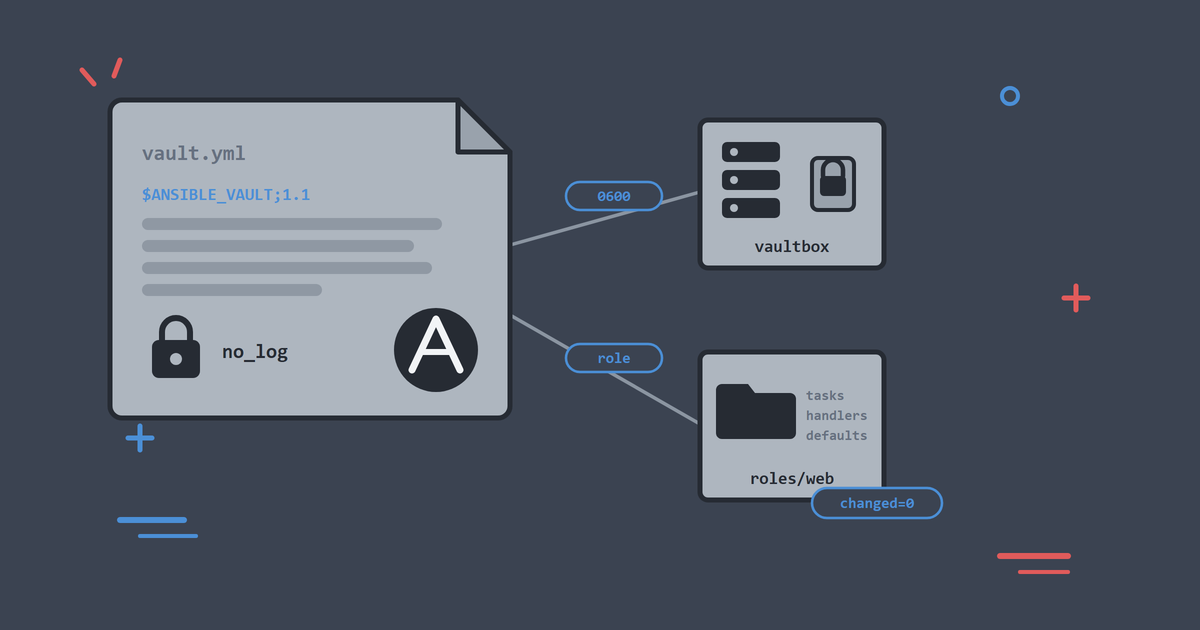
The automation this series has built is ready for one more ingredient: somewhere safe to keep a password. The moment your playbooks touch a database credential, an API token or a TLS key, you want that value encrypted before it goes anywhere near Git, because Git never forgets. I have watched a single leaked credential cost days of rotation work, and encrypting it up front takes minutes.
This final article adds the three things that turn playbooks that work into automation a team can own: secrets, structure and checks.
By the end, you will be able to:
- Encrypt sensitive values with Ansible Vault and use them in a playbook.
- Keep secrets out of logs and diffs, not just out of Git.
- Handle the moment when every command in the repo starts asking for the vault password.
- Refactor a playbook into a role with the standard layout.
- Run the same checks locally that CI runs on every push.
- Name what changes when you point this knowledge at real servers.
As in the rest of the series, run the ./lab commands as .\lab.ps1 if you are on Windows without WSL. Start the lab:
./lab systemd
Secrets: Ansible Vault
Ansible Vault encrypts files, or single values, with AES256 using a password you supply. Encrypted files live in Git like any other file, and without the password they are ciphertext.
The lab's vaultbox host exists for this practice, and the repo ships a starting point so you never type a password into a tracked file by accident. Copy the example into place:
cp inventory/lab/group_vars/secrets/vault.yml.example \
   inventory/lab/group_vars/secrets/vault.yml
The example carries one variable:
vault_app_db_password: "correct-horse-battery-staple"
The .example suffix matters. A plain .yml in group_vars is loaded automatically, so an unencrypted one would ship a plaintext password into every run. vault.yml itself is gitignored, so the file you are about to encrypt cannot be committed by accident.
Now encrypt it. The lab forwards any Ansible command line into the control node, vault included:
./lab ansible-vault encrypt inventory/lab/group_vars/secrets/vault.yml
Vault prompts for a password twice. Pick something you will remember for the rest of this article, then look at the file:
head -2 inventory/lab/group_vars/secrets/vault.yml
$ANSIBLE_VAULT;1.1;AES256
63653336376639366637303561346666643631373566313536623532393830393365626533666532
That is what Git stores: a format header and ciphertext. To read or change it later, ./lab ansible-vault view <file> and ./lab ansible-vault edit <file> prompt for the password and do the right thing.
One convention to adopt from day one: prefix vaulted variable names with vault_. When you read {{ vault_app_db_password }} in a playbook six months from now, you know where it lives and that it is sensitive.
Using the Secret, Without Leaking It
The lab ships the playbook at playbooks/60_secrets.yml:
---
# Article 7: deploy a vaulted secret without leaking it in logs.
# Copy inventory/lab/group_vars/secrets/vault.yml.example to vault.yml, encrypt
# it, then run:
#   ./lab play playbooks/60_secrets.yml --ask-vault-pass
- name: Deploy application credentials to the secrets host
  hosts: secrets
  become: true
  gather_facts: false

  tasks:
    - name: Require vaulted application credentials
      ansible.builtin.assert:
        that:
          - vault_app_db_password is defined
          - vault_app_db_password | length > 0
        fail_msg: >-
          vault_app_db_password is not defined. Copy
          inventory/lab/group_vars/secrets/vault.yml.example to vault.yml in
          the same directory, encrypt it with ansible-vault, then re-run with
          --ask-vault-pass (or --vault-password-file).
      # Keep credentials out of verbose (-v) task dumps; fail_msg still surfaces.
      no_log: true

    - name: Ensure the application config directory exists
      ansible.builtin.file:
        path: /opt/app
        state: directory
        owner: root
        group: root
        mode: "0755"

    - name: Deploy the database credentials file
      ansible.builtin.copy:
        dest: /opt/app/db.conf
        owner: root
        group: root
        mode: "0600"
        content: |
          # Managed by Ansible. Do not edit by hand.
          DB_USER=app
          DB_PASSWORD={{ vault_app_db_password }}
      no_log: true
Because the play targets the secrets group, Ansible loads that group's vars automatically, decrypts them in memory at run time, and you supply the password:
./lab play playbooks/60_secrets.yml --ask-vault-pass
TASK [Require vaulted application credentials] *********************************
ok: [vaultbox]

TASK [Ensure the application config directory exists] **************************
changed: [vaultbox]

TASK [Deploy the database credentials file] ************************************
changed: [vaultbox]

PLAY RECAP *********************************************************************
vaultbox                   : ok=3    changed=2    unreachable=0    failed=0    skipped=0    rescued=0    ignored=0
Encrypting the file at rest is only part of the job. The playbook handles the rest:
- The
asserttask fails early with an instruction rather than a confusing template error, for the reader who runs the playbook before creating the vault file. mode: "0600"on the destination. The secret is on a server now, and file permissions are what protect it there.no_log: truesuppresses the task's output. Without it, a-vrun or a--diffwould print the rendered file, password included, to your terminal and into any CI log capturing it. Vault protects secrets in Git;no_logprotects them in output.
Test that last one rather than trusting it. Run the play again with -v and search the output for the password:
./lab play playbooks/60_secrets.yml --ask-vault-pass -v | grep -c "correct-horse-battery-staple"
0
Everything Now Wants the Password
Encrypting a group_vars file has one knock-on effect worth planning for. Any command that loads this inventory now has to decrypt that file, whether or not it cares about secrets:
./lab ping
[ERROR]: Attempting to decrypt but no vault secrets found.
That is Ansible declining to read an inventory it cannot fully decrypt, which is exactly the behaviour you want from it. Give it the password and everything works as before:
./lab ping --ask-vault-pass
Plan for this before you encrypt anything shared. Teams normally point --vault-password-file at a protected file, or at a script that fetches the password from a secrets manager, so that humans and CI both get it without typing.
Verify Without Printing the Secret
Check the operational facts rather than the contents:
./lab ansible vaultbox -b -m ansible.builtin.stat -a "path=/opt/app/db.conf" --ask-vault-pass
        "exists": true,
        "mode": "0600",
        "pw_name": "root",
        "size": 96,
The secret reached the host, owned by root and readable only by root, without appearing in your terminal or your Git history.
Structure: From Playbooks to Roles
Look at what the series has built: baseline tasks, user management, service install, templates, handlers. It all works, and it all lives in flat playbook files. Packaging that work into a role is what makes it portable, so the next project picks up your web tier by name instead of copying it.
A role is Ansible's unit of reuse: a directory with a fixed layout bundling related tasks, handlers, templates and default variables under one name. The lab ships the web tier as roles/web/:
roles/
  web/
    defaults/
      main.yml        # web_root, service name, config test command
    handlers/
      main.yml        # validate + reload
    meta/
      main.yml        # role metadata and dependencies
    tasks/
      main.yml        # install, configure, verify
    templates/
      health.html.j2
      nginx_default_site.conf.j2
defaults/main.yml holds the variables a consumer may override, and this is the role's public interface:
---
web_root: /var/www/html
web_service_name: nginx
# Command used by the validate handler before reload (must exit non-zero on
# broken config). Override together with web_service_name if you change stack.
web_config_test_cmd: nginx -t
Those two extra variables are what turns a copy of article 6's playbook into something reusable. The handlers no longer hard-code nginx:
---
- name: Validate nginx configuration
  ansible.builtin.command:
    cmd: "{{ web_config_test_cmd }}"
  changed_when: false

- name: Reload nginx
  ansible.builtin.service:
    name: "{{ web_service_name }}"
    state: reloaded
tasks/main.yml holds the tasks with no play header, because roles contain tasks and plays apply them to hosts. Templates move into the role's own templates/ directory, and the template: tasks refer to them by bare filename, because roles resolve their own paths.
The playbook that applies it shrinks to a statement of intent, playbooks/70_web_role.yml:
---
# Article 7: apply the reusable web role (same behaviour as playbooks 30/40).
- name: Configure the web tier
  hosts: web
  become: true
  gather_facts: true
  roles:
    - web
Run it against hosts that already went through articles 5 and 6:
./lab play playbooks/70_web_role.yml --ask-vault-pass
TASK [web : Install the web server package] ************************************
ok: [titan]
ok: [beacon]

TASK [web : Render the nginx site configuration] *******************************
ok: [titan]
ok: [beacon]

TASK [web : Verify the service answers locally] ********************************
ok: [beacon]
ok: [titan]

PLAY RECAP *********************************************************************
beacon                     : ok=6    changed=0    unreachable=0    failed=0    skipped=0    rescued=0    ignored=0
titan                      : ok=6    changed=0    unreachable=0    failed=0    skipped=0    rescued=0    ignored=0
Task names are prefixed with web :, so you can always tell which role a task came from in a long run. The recap is changed=0, because the role does exactly what the flat playbooks did. An unchanged recap after a pure refactor is the test that the refactor was pure.
When you write your own roles:
- Put every variable a consumer might change in
defaults/main.yml, with a sensible value. - Keep roles single-purpose. A
webrole and adatabaserole, not asetup_everythingrole. The playbook composes them.
For scaffolding new ones, ansible-galaxy role init roles/<name> generates the skeleton.
Collections and requirements.yml
One structural piece has been working quietly all series. Modules like ansible.posix.authorized_key come from collections, and the repo pins what it needs in requirements.yml:
---
collections:
  - name: ansible.posix
  - name: community.general
The community ansible package bundles these already, which is why nothing ever complained:
./lab ansible-galaxy collection list
Collection                               Version
ansible.posix                            2.2.2
community.general                        13.2.0
On a minimal ansible-core install, in CI, or on a colleague's machine, one command restores the dependencies:
./lab ansible-galaxy collection install -r requirements.yml
Starting galaxy collection install process
Nothing to do. All requested collections are already installed.
Treat requirements.yml as the honest list of what your automation imports.
Checks: Lint Locally, Verify in CI
A team repo needs checks that run without a human remembering them. Two of the three layers you can run right now.
Syntax checking parses playbooks without executing anything:
./lab ansible-playbook --syntax-check playbooks/60_secrets.yml --ask-vault-pass
playbook: playbooks/60_secrets.yml
Linting goes further. ansible-lint flags risky patterns, deprecated syntax, missing name: fields, unpinned file modes and a long list of habits worth catching early:
./lab lint
Passed: 0 failure(s), 0 warning(s) in 35 files processed of 66 encountered.
Last profile that met the validation criteria was 'production'.
That production profile is the strictest of ansible-lint's tiers, and it is what the repo holds itself to. Expect opinions when you point it at your own work, and treat them as a conversation: skipping a rule deliberately, with a documented reason, is a perfectly good answer, and having that conversation at your desk beats having it during an outage.
The third layer is CI. The repo's GitHub Actions workflow runs on every push and does what a careful reviewer would:
- Shell scripts through
shellcheck. docker compose configto validate the lab definition.ansible-playbook --syntax-checkacross every playbook in the repo.ansible-lintacross the repo.- A smoke job that starts the lab for real, pings all hosts, runs the series playbooks with idempotency enforced, then adds a host, reaches it, and removes it again.
That smoke job is the one to internalise. It executes the automation against a disposable copy of the estate and holds it to idempotence, failing if a second run reports changes. Because the lab is containers, "spin up the estate and try it" is cheap enough to do on every commit.
What Changes in Production
The lab was built to imitate real operations, so most of what you have learnt transfers straight across. The differences:
- Inventory is real and probably dynamic. Hosts come from cloud APIs or a CMDB via inventory plugins rather than a hand-written file. Groups and patterns work identically.
- Host key checking goes back on. The lab disables it because containers are rebuilt constantly. Real servers keep stable host keys, and verifying them is part of SSH's security model.
- The vault password stops being typed. Interactive prompts do not survive contact with CI. Use
--vault-password-filepointing at a protected file or a script that fetches from a secrets manager. The password itself never enters the repo. - Sudo gets narrower and often passworded. The lab's
NOPASSWD:ALLlearner account is a convenience. Productionbecomemay prompt with--ask-become-pass, or use tightly scoped rules built the way article 4 built them. - Blast radius thinking becomes mandatory.
--check --difffirst,--limitone host,serialfor fleets. The habits this series drilled are the job rather than lab etiquette. - Review is part of the pipeline. Playbook changes go through pull requests, lint and syntax gates, and ideally a lab run, before they touch a server.
Every one of those is a change of setting rather than a change of skill. Inventory, modules, plays, handlers, templates, vault, roles: the material of this series is the material of production.
Common Problems
"Attempting to decrypt but no vault secrets found"
A command is loading the inventory that contains your encrypted file without a password. Add --ask-vault-pass, or remove inventory/lab/group_vars/secrets/vault.yml when you have finished practising.
"Problem running vault password script ... Exec format error"
--vault-password-file expects a plain file, and runs it as a script when it is executable. Docker bind mounts on Windows mark everything executable, so a password file created in the repo hits this every time, whatever you set with chmod. Either use --ask-vault-pass, or make the file a real script that prints the password:
#!/bin/sh
echo my-vault-password
Ad-Hoc Paths Turn Into Windows Paths
Running the lab from Git Bash rewrites arguments that look like Unix paths, so -a "path=/opt/app/db.conf" arrives as C:/Program Files/Git/opt/.... Prefix the command with MSYS_NO_PATHCONV=1, or use PowerShell with .\lab.ps1.
What You Learnt Across the Series
Seven articles ago there was no lab and no Ansible. Now you have covered:
- A disposable practice estate on any desktop OS, from Docker or a Codespace.
- Inventory, groups, patterns, facts and ad-hoc commands.
- Playbooks,
become, check and diff mode, and idempotence. - Users, SSH keys and sudo as version-controlled data, with loops and tags.
- Service deployment with handlers that reload only on change.
- Jinja2 templates, pre-reload validation and
serialrollouts. - Vault, roles, collections and CI guardrails.
That is the working core of Ansible as teams actually use it. The model to keep: describe state, target groups, preview first, verify inside the automation, and let version control be your rollback.
Clean Up, and Where to Go Next
Remove the vault file when you have finished, so ordinary commands stop asking for a password:
rm inventory/lab/group_vars/secrets/vault.yml
If you want the lab gone entirely:
./lab down
If you would rather keep practising, here is where to take it next:
- Refactor the baseline and user management into
commonandaccessroles, the way the lab didweb. - Add a host with
./lab add-hostand treat it as a new starter. How few commands does full onboarding take now? - Write a role for something you actually run: PostgreSQL, a monitoring agent, log rotation.
- Break things on purpose and watch which safety net catches them. That instinct transfers directly to production.
Keep Reading
If you are new to the series, start with Set Up an Ansible Practice Lab in Under 10 Minutes and work forward. The article before this one, Ansible Templates and Safe Configuration Rollouts, builds the templates and handlers that the web role wraps up here, and Manage Users, SSH Keys and Sudo with Ansible covers the access patterns referenced above. The lab lives on GitHub and has a home at CloudSprocket Labs, with a quick start, FAQ and the full article series.
You can find more DevOps and automation articles on the homepage at alishaikh.me.
Official Documentation
If you want to dig deeper into what we used today, these official guides are the best places to start:
- Vault: the vault guide covers encrypting whole files, single variables, and how Ansible finds vault content at run time.
- Vault passwords: the managing passwords guide documents password files, password scripts and multiple vault ids for different environments.
- Roles: the roles guide explains the directory layout, variable precedence inside roles, and
import_roleagainstinclude_role. - Collections: the collections guide covers
requirements.yml, version pinning and installing from sources other than Galaxy. - Logging and secrets: the logging documentation explains what Ansible writes where, which is the context
no_logexists for. - ansible-lint: the lint documentation lists every rule and profile, including how to skip one deliberately.