Manage Users, SSH Keys and Sudo with Ansible
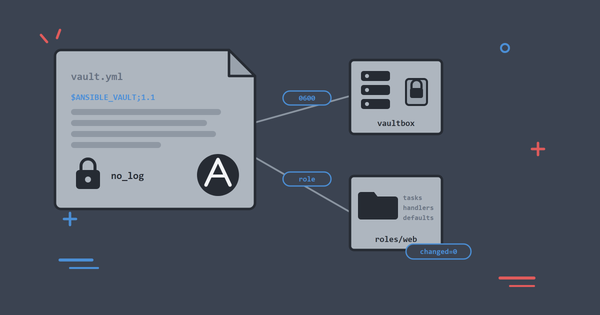
Onboard and offboard users across a group of Linux servers with one playbook: accounts, SSH keys and sudo rules defined as data, applied with loops and validated before they land.

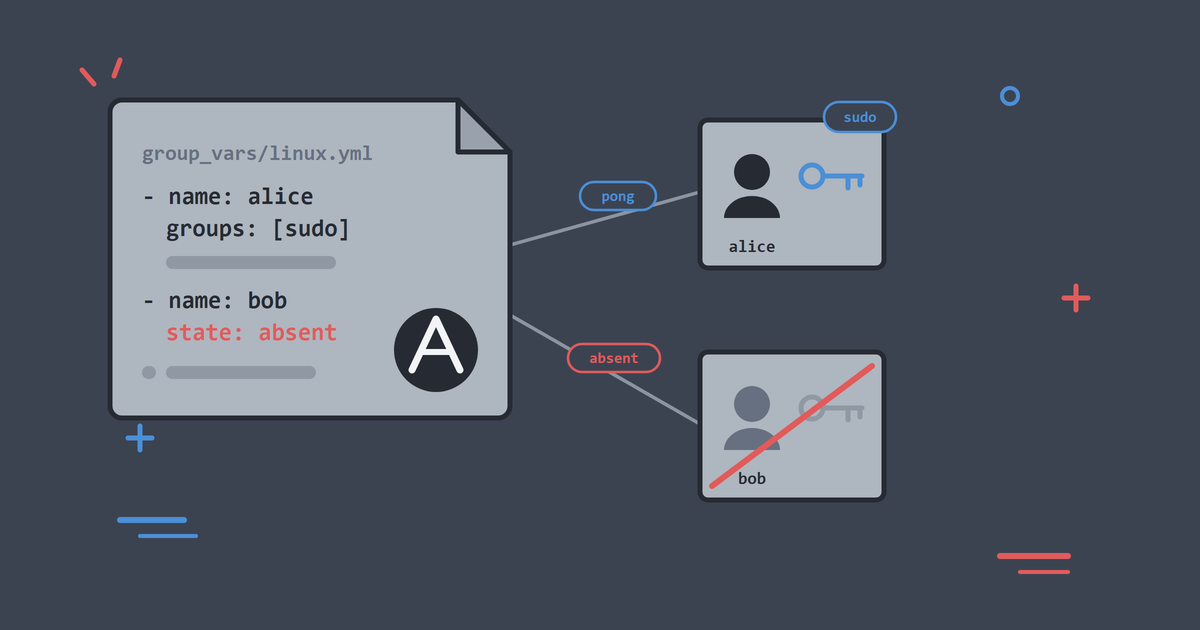
Access management is where hand-run servers hurt first. I have watched a user's account get created on six machines but not the seventh, found SSH keys still installed for people long gone, and met "emergency" sudo rules that outlived the emergency by years.
The fix is making the access list a file in version control and letting Ansible enforce it. That is what we build in this article.
By the end, you will be able to:
- Define users, keys and sudo rules as data in group variables.
- Loop over that data to create accounts and install SSH keys.
- Make accounts that log in with SSH keys only, without locking them out by accident.
- Manage sudo through drop-in files that are validated before they land.
- Remove access as deliberately as you grant it.
As in the rest of the series, run the ./lab commands as .\lab.ps1 if you are on Windows without WSL. Start from a lab with the baseline applied: ./lab up, then ./lab play playbooks/10_baseline.yml if you have reset since the last article.
Access Is Data
The users you manage are data; the way accounts get created is automation. Keeping the two apart is what makes the playbook reusable, so we start with the data.
Group variables live in files named after inventory groups: anything in inventory/lab/group_vars/linux.yml applies to every host in the linux group, automatically. The lab ships that file with a small access list:
---
# Article 4: access list for the linux group (lab inventory / forge).
managed_users:
  - name: alice
    comment: "Alice Example, platform team"
    groups: [sudo]
    state: present

  - name: bob
    comment: "Bob Example, app team"
    groups: []
    state: present

# Lab key path inside the forge control-node container.
managed_users_key_file: /tmp/lab-ssh/id_ed25519.pub
Read it top to bottom:
managed_usersis the list the playbook will enforce. alice and bob are placeholders for any team you manage.groupsdecides supplementary group membership. alice is insudo; bob is not.stateis whether the account should exist. We usepresentnow and flip it when someone leaves.managed_users_key_filepoints at a public key on the control node. In the lab both users share the lab key so you can log in and prove the access works. In real life each user brings their own key.
Nothing in that file creates a user yet. It only declares what the estate should look like.
The Access Playbook
The lab ships the playbook at playbooks/20_users_and_ssh.yml:
---
# Article 4: manage users, SSH keys and sudo as data-driven access control.
- name: Manage users, SSH keys and sudo access
  hosts: linux
  become: true
  gather_facts: false

  tasks:
    - name: Ensure user accounts match the access list
      ansible.builtin.user:
        name: "{{ item.name }}"
        comment: "{{ item.comment | default('') }}"
        groups: "{{ item.groups | default([]) }}"
        append: false
        shell: /bin/bash
        # Key-only accounts need an unusable password, not a locked one:
        # the lab sshd runs with UsePAM no, and OpenSSH refuses locked
        # accounts ("!") for every auth method, public keys included.
        password: "*"
        state: "{{ item.state }}"
        remove: "{{ item.state == 'absent' }}"
      loop: "{{ managed_users }}"
      tags: [users]

    - name: Install SSH public keys for present users
      ansible.posix.authorized_key:
        user: "{{ item.name }}"
        key: "{{ lookup('ansible.builtin.file', managed_users_key_file) }}"
        state: present
        exclusive: true
      loop: "{{ managed_users | selectattr('state', 'eq', 'present') | list }}"
      tags: [users, ssh]

    - name: Manage the team sudo drop-in
      ansible.builtin.copy:
        dest: /etc/sudoers.d/50-managed-users
        owner: root
        group: root
        mode: "0440"
        validate: /usr/sbin/visudo -cf %s
        content: |
          # Managed by Ansible. Do not edit by hand.
          {% for user in managed_users
             if user.state | default('present') == 'present'
             and 'sudo' in (user.groups | default([])) %}
          {{ user.name }} ALL=(ALL) NOPASSWD:ALL
          {% endfor %}
      tags: [sudo]
Read it top to bottom:
hosts: linuxandbecome: truematch the baseline habit: target the right group, escalate only when the work needs root.gather_facts: falseskips fact collection because nothing in this play uses facts. Plays that skip gathering start faster once inventories grow.loop: "{{ managed_users }}"runs the user task once per entry. Inside the task,itemis the current person, so{{ item.name }}becomesalice, thenbob. One task definition, any number of users.password: "*"looks strange on purpose. The next section explains what it means and why the playbook fails without it.- The key task loops only over
presentusers, reads the public key from the control node withlookup, and setsexclusive: trueso the managed keys are the full set. Without exclusive, Ansible only adds keys and a rotation leaves the old key working. - The sudo task builds
/etc/sudoers.d/50-managed-usersfrom the same list and usesvalidate: /usr/sbin/visudo -cf %sso a broken rule never lands. Alice getsNOPASSWD:ALLbecause this is a lab; real drop-ins should be narrower.
The playbook never hard-codes alice in a task body. Change the list and the accounts, keys and sudo file follow on the next run.
Why password: "*" Exists
We want accounts that log in with an SSH key, not with a password. In everyday speech that is a "key-only" account: you prove who you are with a private key on your laptop, and typing a password should never work.
Linux stores how a user can authenticate in /etc/shadow. Three values look similar to a beginner and behave very differently:
- A normal password hash: password login can work (if sshd allows it), and SSH keys can work too.
!means locked. The account is frozen. On many systems, including this lab (sshd runs withUsePAM no), OpenSSH refuses that account for every method, public keys included.*means unusable password. No password you type will ever match, so password login stays impossible, but the account is not locked, so SSH keys still work.
Here is the trap. If you create a user with Ansible and omit password, the user module does not create a key-only account. It creates a locked account. In /etc/shadow that shows up as !.
A locked account is closer to "this person is frozen out" than "they must use a key". You can install a perfect public key and still get Permission denied (publickey). The key is fine. The account is locked, so login never starts.
Setting password: "*" is the usual fix for key-only users. * is not a password anyone types. Nothing you enter at a password prompt will match it, so password login stays off. The account is still unlocked, so SSH key authentication is allowed.
In short: key-only means keys yes, passwords no. That is an unusable password (*). A locked account (!) often means nothing works, keys included.
That is why the comment sits above password: "*" in the playbook. Leave the line out, and the rest of the article (install key, ping as alice) falls over for a reason that looks like an SSH problem but is really an account state problem.
Preview First: Check Mode Has a Catch
The habit from the last article says preview first:
./lab play playbooks/20_users_and_ssh.yml --check --diff
On a fresh estate this preview fails, and the failure is worth reading:
TASK [Ensure user accounts match the access list] ******************************
changed: [atlas] => (item={'name': 'alice', 'comment': 'Alice Example, platform team', 'groups': ['sudo'], 'state': 'present'})
changed: [atlas] => (item={'name': 'bob', 'comment': 'Bob Example, app team', 'groups': [], 'state': 'present'})

TASK [Install SSH public keys for present users] *******************************
[ERROR]: Task failed: Module failed: Either user must exist or you must provide full path to key file in check mode

PLAY RECAP *********************************************************************
atlas                      : ok=1    changed=1    unreachable=0    failed=1    skipped=0    rescued=0    ignored=0
This is the check mode caveat from the last article arriving in person. A dry run never created alice, so when the key task asks the host where alice's authorized_keys lives, there is no alice to answer for. Any playbook where one task depends on the result of an earlier task can hit this.
The preview still earned its keep: the per-item changed lines prove the loop reads your data correctly. Preview what you can, then apply.
Apply the Access List
./lab play playbooks/20_users_and_ssh.yml
TASK [Ensure user accounts match the access list] ******************************
changed: [atlas] => (item={'name': 'alice', 'comment': 'Alice Example, platform team', 'groups': ['sudo'], 'state': 'present'})
changed: [atlas] => (item={'name': 'bob', 'comment': 'Bob Example, app team', 'groups': [], 'state': 'present'})

TASK [Install SSH public keys for present users] *******************************
changed: [atlas] => (item={'name': 'alice', 'comment': 'Alice Example, platform team', 'groups': ['sudo'], 'state': 'present'})
changed: [atlas] => (item={'name': 'bob', 'comment': 'Bob Example, app team', 'groups': [], 'state': 'present'})

TASK [Manage the team sudo drop-in] ********************************************
changed: [atlas]

PLAY RECAP *********************************************************************
atlas                      : ok=3    changed=3    unreachable=0    failed=0    skipped=0    rescued=0    ignored=0
beacon                     : ok=3    changed=3    unreachable=0    failed=0    skipped=0    rescued=0    ignored=0
ledger                     : ok=3    changed=3    unreachable=0    failed=0    skipped=0    rescued=0    ignored=0
vaultbox                   : ok=3    changed=3    unreachable=0    failed=0    skipped=0    rescued=0    ignored=0
Each loop iteration reports on its own line, with the item it processed in brackets. When a run over forty users fails on one of them, that per-item reporting tells you which.
Verify the result the way you would on real infrastructure:
./lab ansible linux -m ansible.builtin.command -a "id alice"
./lab ansible linux -m ansible.builtin.command -a "id bob"
atlas | CHANGED | rc=0 >>
uid=1002(alice) gid=1002(alice) groups=1002(alice),27(sudo)

atlas | CHANGED | rc=0 >>
uid=1003(bob) gid=1003(bob) groups=1003(bob)
alice sits in sudo, bob in nothing extra, on every host. (The CHANGED label on a read-only command is the command module being honest about not knowing, as covered in article 2.)
Now prove alice can log in. The lab key is her key, so tell Ansible to connect as her:
./lab ansible atlas -m ansible.builtin.ping --extra-vars ansible_user=alice
Use the long form --extra-vars, not bare -e. On Windows, PowerShell grabs a bare -e for itself before .\lab.ps1 ever sees it.
atlas | SUCCESS => {
    "ping": "pong"
}
A pong here is real proof: the account exists, the key is installed, and sshd accepted the login.
Finally, check sudo:
./lab ansible atlas -m ansible.builtin.command -a "sudo -l -U alice"
./lab ansible atlas -m ansible.builtin.command -a "sudo -l -U bob"
Alice is allowed to run commands. Bob is not. That is exactly what the data said.
Run It Again: Idempotence
Run the exact same playbook a second time:
./lab play playbooks/20_users_and_ssh.yml
The recap should settle to changed=0 on every host. Accounts, keys and sudo already match the list, so every module reports nothing to do. Same property as the baseline: describing state is what makes re-running safe.
And now that the accounts exist, the preview behaves too. The same --check --diff that failed on the empty estate predicts a clean changed=0 today.
Offboard Someone Properly
The best way to feel what the access list is for is to remove someone the wrong way, then the right way.
Suppose bob leaves. The tempting move is deleting his entry from managed_users. That only stops Ansible managing him. His account and key stay on every server, unmanaged.
Instead, flip his state in inventory/lab/group_vars/linux.yml:
  - name: bob
    comment: "Bob Example, app team"
    groups: []
    state: absent
Run the playbook again:
./lab play playbooks/20_users_and_ssh.yml
TASK [Ensure user accounts match the access list] ******************************
ok: [atlas] => (item={'name': 'alice', 'comment': 'Alice Example, platform team', 'groups': ['sudo'], 'state': 'present'})
changed: [atlas] => (item={'name': 'bob', 'comment': 'Bob Example, app team', 'groups': [], 'state': 'absent'})

PLAY RECAP *********************************************************************
atlas                      : ok=3    changed=1    unreachable=0    failed=0    skipped=0    rescued=0    ignored=0
The user task sees state: absent and, because remove is true for absent users, deletes the account and its home directory. The key task loops over present users only, so alice keeps her access. Verify:
./lab ansible linux -m ansible.builtin.command -a "id bob"
atlas | FAILED | rc=1 >>
id: ‘bob’: no such user
Every host fails with "no such user", which for once is the output you want.
Keep departed users in the list with state: absent until every host has checked in and completed the playbook successfully. An offline host is not changed by a declaration alone. Prune the entry only after your run records prove removal across the whole inventory.
Tags: Run a Slice
Tags let you run part of a playbook. To refresh keys only:
./lab play playbooks/20_users_and_ssh.yml --tags ssh
To see what a tag would run without running it:
./lab play playbooks/20_users_and_ssh.yml --tags sudo --list-tasks
Because the key task uses exclusive: true, rotating keys becomes updating the key data and running --tags ssh. Prefer a small, consistent vocabulary of tags and resist inventing a new one per task.
Habits Worth Keeping
A few practices that separate good access automation from a script that creates users once:
- Keep people in data (
group_vars), not hard-coded in tasks. - Use fully qualified module names (
ansible.builtin.user,ansible.posix.authorized_key). - For key-only users, set an unusable password (
*). Omitting the password locks the account, which can block SSH keys too. - Make key sets authoritative with
exclusive: trueso rotation revokes old keys. - Always
validatesudoers content before it lands. - Offboard with
state: absent, not by deleting a line and hoping.
Common Problems
Login Fails with Permission Denied (Publickey)
If the key task succeeded but SSH still refuses the user, check the password field in /etc/shadow:
./lab ansible atlas -b -m ansible.builtin.shell -a "grep alice /etc/shadow"
The second colon-separated field is the password marker. ! means locked (login refused, often including keys). * means unusable password (password login impossible, keys still allowed). If you see !, your user task omitted password: "*" or something else locked the account. Also confirm the key task ran for that user and re-run with --tags ssh --diff.
Check Mode Fails on the Key Task
"Either user must exist or you must provide full path to key file in check mode" on a fresh estate means the dry run had no accounts to inspect. Apply for real once; previews predict cleanly from then on.
Sudoers Validation Fails
If the copy task fails with a visudo error, the content is malformed. Nothing was installed, which is validate doing its job. Fix the content and re-run.
Key Lookup Fails
lookup('ansible.builtin.file', ...) reads from the control node, which in the lab is the forge container, where the key is mounted at /tmp/lab-ssh/. If you run Ansible from your own machine instead, the same file lives at .lab/ssh/id_ed25519.pub in the repo.
Clean Up
The accounts can stay; nothing in the next article conflicts with them. If you flipped bob to absent, put the shipped access list back and let the playbook converge:
git restore inventory/lab/group_vars/linux.yml
./lab play playbooks/20_users_and_ssh.yml
Bob comes back, which is the point of the exercise: the list is the truth and the servers follow it, in both directions. For a fully pristine lab, run ./lab reset and re-apply the baseline from the last article.
What You Learnt
- Access belongs in version-controlled data;
loopturns that data into accounts, keys and sudo rules on any number of hosts. - Key-only means "SSH keys yes, passwords no". Use
password: "*"for that. Omitting the password locks the account (!), which can refuse public keys as well. - Key rotation must revoke keys that left the authoritative set, not merely add replacements.
validatemakes dangerous files like sudoers safe to automate.- Check mode cannot preview a task that depends on an earlier task's changes; preview what you can, then apply.
- Offboarding is
state: absent, not deleting a line and hoping.
Next we move from server access to running software: deploying a web service with Ansible, and meeting handlers, the mechanism that restarts things only when something actually changed.
Keep Reading
If you are new to the series, start with Set Up an Ansible Practice Lab in Under 10 Minutes to build the lab this article runs on. The previous article, Write Your First Real Ansible Playbook: Baseline a Linux Server, covers playbooks, check mode and idempotence, all of which this one leans on. The lab lives on GitHub and has a home at CloudSprocket Labs, with a quick start, FAQ and the full article series.
You can find more DevOps and automation articles on the homepage at alishaikh.me.
Official Documentation
If you want to dig deeper into what we used today, these official guides are the best places to start:
- Users: the user module documents
state,removeandpassword, including the hashed-value rules behind the*trick. - SSH keys: the authorized_key module covers exclusive mode, key options and per-key restrictions for the keys you install.
- Loops: the loops guide goes past simple lists into dicts, nested loops and
loop_control. - Variables: the variables guide explains everywhere a variable can live and which definition wins,
group_varsincluded. - Lookups: the lookups guide lists what playbooks can read from the control node beyond files.
- Tags: the tags guide covers tag inheritance, the special
alwaysandnevertags, and--skip-tags.