Ansible Templates and Safe Configuration Rollouts
Render per-host configuration from Jinja2 templates, validate it before the service reloads into it, and roll the change across a fleet one host at a time with serial.

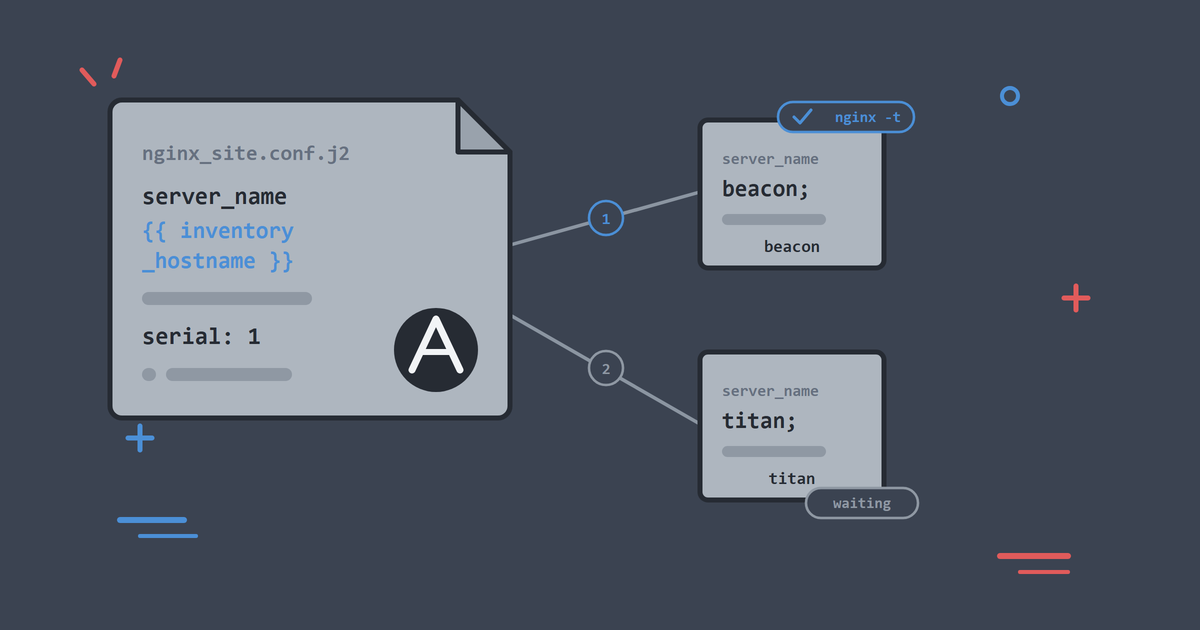
The page you deployed in the last article was the same on every host, which is exactly what that job needed. Most real configuration earns its keep by varying: a config file carries the host's own name, an environment-specific port, a tuning value that suits the machine it runs on. Templates give you all of that from a single file in version control.
The second half of this article is where the series starts to feel like production work. Rolling a configuration change across a fleet is a controlled-change problem, and Ansible has purpose-built machinery for both halves of it: catching a broken config before the service reloads into it, and updating one host, proving it healthy, then letting the rest follow.
By the end, you will be able to:
- Render per-host configuration from a Jinja2 template.
- Validate configuration before a service reloads into it.
- Roll a change across hosts one at a time with
serial. - Use
changed_whento stop command tasks claiming changes they did not make. - Grow the lab with a second web host and watch a staged rollout for real.
As in the rest of the series, run the ./lab commands as .\lab.ps1 if you are on Windows without WSL. Run this article in systemd mode:
./lab systemd
Nothing else is needed. The playbook here installs nginx itself, so it works whether or not you followed article 5.
Templates: Configuration with Variables Inside
A template is a file with Jinja2 expressions in it. Ansible renders it per host, substituting variables and facts, and ships the result. The lab keeps them next to the playbooks, at playbooks/templates/nginx_default_site.conf.j2:
# {{ ansible_managed }}
server {
    listen 80 default_server;
    server_name {{ inventory_hostname }};
    root {{ web_root }};
    server_tokens off;
    add_header X-Served-By "{{ inventory_hostname }}";

    location / {
        try_files $uri $uri/ =404;
    }
}
Three kinds of content are mixed here, and telling them apart is the skill:
{{ inventory_hostname }}and{{ web_root }}are Jinja2. Ansible replaces them at render time, per host. Onbeaconthe server_name line becomesserver_name beacon;.$uriis nginx syntax. It means nothing to Jinja2 and passes through untouched, because Jinja2 only reacts to its own delimiters.{{ ansible_managed }}renders to a short banner. On the host the first line reads# Ansible managed, which tells the next person who opens the file not to hand-edit it.
playbooks/templates/health.html.j2 does the same for the page itself, using facts gathered from each host:
<!doctype html>
<title>{{ inventory_hostname }} health</title>
<p>ok</p>
<p>{{ inventory_hostname }} running {{ ansible_facts['distribution'] }} {{ ansible_facts['distribution_version'] }}</p>
<p>
  <small>Built by <a href="https://alishaikh.me/" rel="author">Ali Shaikh</a>.</small>
</p>
The Playbook: Install, Render, Validate, Reload
The lab ships the playbook at playbooks/40_templates_and_handlers.yml:
---
# Article 6: Jinja2 templates, validate-before-reload, serial rollout.
#
# Handlers normally wait until the end of the play. When a later task must
# observe post-reload state (here the URI check), call meta: flush_handlers
# first so validate + reload run before verification.
- name: Roll out templated web configuration safely
  hosts: web
  become: true
  gather_facts: true
  serial: 1

  vars:
    web_root: /var/www/html

  tasks:
    # This play stands on its own. It installs and starts nginx before
    # templating the configuration, so it works against a host that has never
    # run playbook 30. Both tasks are idempotent, so on a host that has run it
    # they report ok and change nothing.
    - name: Install nginx
      ansible.builtin.apt:
        name: nginx
        state: present
        update_cache: true

    - name: Ensure nginx is running
      ansible.builtin.service:
        name: nginx
        state: started

    - name: Render the nginx site configuration
      ansible.builtin.template:
        src: templates/nginx_default_site.conf.j2
        dest: /etc/nginx/sites-available/default
        owner: root
        group: root
        mode: "0644"
      notify:
        - Validate nginx configuration
        - Reload nginx

    - name: Render the health page
      ansible.builtin.template:
        src: templates/health.html.j2
        dest: "{{ web_root }}/health.html"
        owner: root
        group: root
        mode: "0644"

    - name: Apply pending nginx handlers before verification
      ansible.builtin.meta: flush_handlers

    - name: Verify the service still answers
      ansible.builtin.uri:
        url: http://127.0.0.1/health.html
        status_code: 200
      become: false

  handlers:
    - name: Validate nginx configuration
      ansible.builtin.command:
        cmd: nginx -t
      changed_when: false

    - name: Reload nginx
      ansible.builtin.service:
        name: nginx
        state: reloaded
The safety mechanisms, in the order they fire:
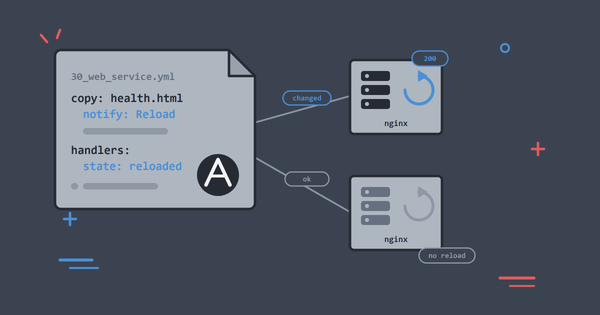
Validation before reload. The template task notifies two handlers. Handlers run in the order they are defined in the handlers: section, so nginx -t runs before the reload. If the rendered config is broken, nginx -t exits non-zero, the handler fails, and the reload never happens. The service keeps running on its old, working configuration. This is the same idea as the validate: option we used on sudoers in article 4, expressed as a handler chain because nginx validates whole configurations rather than single files.
changed_when: false. Command tasks cannot know whether they changed anything, so Ansible reports them as changed every time. A validation check changes nothing, ever, and saying so keeps the recap honest. Its sibling failed_when does the same job for failure, which matters for commands whose exit codes do not follow convention.
Flush handlers before verification. Handlers wait until the end of the play, or of the current serial batch, unless you force them earlier. Without meta: flush_handlers, the URI task would run against the nginx process still serving the old config, and validate and reload would fire afterwards. Flushing puts the steps in the order the words imply: render, validate, reload, then prove the host still answers.
serial: 1. Without it, Ansible runs each task across all hosts at once, so every web server takes the new config in the same instant. With serial: 1, the entire play runs to completion on one host before the next one starts, and a failure stops the rollout there. A bad change costs you one host instead of the tier.
Add a Second Web Host
A staged rollout is far easier to see with a second web host in play, so grow the estate:
./lab add-host titan web
./lab systemd
add-host writes the compose and inventory files; the second command starts the new container. Use ./lab systemd while your estate is in systemd mode, because ./lab up would put the existing hosts back into the default mode.
Hosts added this way keep sshd as PID 1 even in systemd mode, so the fleet is now deliberately mixed: beacon on systemd, titan on sshd.
./lab ansible web -m ansible.builtin.setup -a "filter=ansible_service_mgr"
titan | SUCCESS => {
    "ansible_facts": {
        "ansible_service_mgr": "sshd"
    },
    "changed": false
}
beacon | SUCCESS => {
    "ansible_facts": {
        "ansible_service_mgr": "systemd"
    },
    "changed": false
}
One playbook covers both, because the service module resolves the init system per host. A mixed estate is also closer to most real fleets than a uniform one.
titan needs nothing else before the rollout. The playbook installs nginx itself:
TASK [Install nginx] ***********************************************************
changed: [titan]

TASK [Ensure nginx is running] *************************************************
changed: [titan]

TASK [Render the nginx site configuration] *************************************
changed: [titan]

PLAY RECAP *********************************************************************
titan                      : ok=8    changed=5    unreachable=0    failed=0    skipped=0    rescued=0    ignored=0
That is a brand-new web server, from empty container to a templated, validated, serving nginx, in one command.
Roll It Out
One host first, then the fleet. Preview and apply against beacon alone:
./lab play playbooks/40_templates_and_handlers.yml --check --diff --limit beacon
./lab play playbooks/40_templates_and_handlers.yml --limit beacon
The check run shows the rendered result before it lands, hostname and all:
TASK [Render the health page] **************************************************
--- before: /var/www/html/health.html
+++ after: /root/.ansible/tmp/.../health.html.j2
@@ -1,8 +1,7 @@
 <!doctype html>
 <title>beacon health</title>
 <p>ok</p>
+<p>beacon running Ubuntu 24.04</p>

changed: [beacon]

RUNNING HANDLER [Validate nginx configuration] *********************************
skipping: [beacon]
Note the validation handler skipping. Check mode leaves command tasks alone by design, so config validation is one of the answers the real run gives you.
Then apply, and confirm from your machine:
curl -i http://127.0.0.1:8080/health.html
HTTP/1.1 200 OK
Server: nginx
Content-Type: text/html
X-Served-By: beacon
The X-Served-By header came from the template. Server: nginx with no version number is server_tokens off doing its job.
Now the full group:
./lab play playbooks/40_templates_and_handlers.yml
PLAY [Roll out templated web configuration safely] *****************************

TASK [Render the nginx site configuration] *************************************
changed: [beacon]

RUNNING HANDLER [Validate nginx configuration] *********************************
ok: [beacon]

RUNNING HANDLER [Reload nginx] *************************************************
changed: [beacon]

TASK [Verify the service still answers] ****************************************
ok: [beacon]

PLAY [Roll out templated web configuration safely] *****************************

TASK [Render the nginx site configuration] *************************************
changed: [titan]

RUNNING HANDLER [Validate nginx configuration] *********************************
ok: [titan]

RUNNING HANDLER [Reload nginx] *************************************************
changed: [titan]

TASK [Verify the service still answers] ****************************************
ok: [titan]

PLAY RECAP *********************************************************************
beacon                     : ok=6    changed=3    unreachable=0    failed=0    skipped=0    rescued=0    ignored=0
titan                      : ok=6    changed=3    unreachable=0    failed=0    skipped=0    rescued=0    ignored=0
Read the shape of that output. The PLAY header appears twice. With serial: 1, Ansible finishes the whole play on beacon, verification included, before titan starts. That repeated header is the rollout being staged, visible in the log.
Run it again and both hosts report changed=0, with no handler section at all.
Prove It Rendered Per Host
beacon is the host that publishes a port to your machine, so ask both hosts directly and see the two renders side by side:
./lab ansible web -m ansible.builtin.command -a "curl -s -i http://127.0.0.1/health.html"
titan | CHANGED | rc=0 >>
X-Served-By: titan
<title>titan health</title>
<p>titan running Ubuntu 24.04</p>

beacon | CHANGED | rc=0 >>
X-Served-By: beacon
<title>beacon health</title>
<p>beacon running Ubuntu 24.04</p>
One template, one playbook, two different files on two different hosts.
Watch the Safety Net Catch a Bad Change
Break the template on purpose. Edit nginx_default_site.conf.j2 and delete the semicolon after default_server, then run against beacon:
./lab play playbooks/40_templates_and_handlers.yml --limit beacon
TASK [Render the nginx site configuration] *************************************
changed: [beacon]

RUNNING HANDLER [Validate nginx configuration] *********************************
[ERROR]: Task failed: Module failed: The command exited with a non-zero return code.
fatal: [beacon]: FAILED! => {"cmd": ["nginx", "-t"], "rc": 1, "stderr":
"nginx: [emerg] invalid parameter \"server_name\" in /etc/nginx/sites-enabled/default:4
nginx: configuration file /etc/nginx/nginx.conf test failed"}

PLAY RECAP *********************************************************************
beacon                     : ok=3    changed=1    unreachable=0    failed=1    skipped=0    rescued=0    ignored=0
The play stopped at validation. The reload never ran, so check the site:
curl -s -o /dev/null -w '%{http_code}\n' http://127.0.0.1:8080/health.html
./lab ansible beacon -m ansible.builtin.command -a "systemctl is-active nginx"
Still 200, still active. The broken file is sitting in sites-available and nginx never read it. Note where nginx points the finger: sites-enabled/default, the symlink to the file the template wrote.
Fix the template, run again, and the play goes green. Had this been a fleet run, serial: 1 would have stopped the rollout at this first host and left the rest on the old config.
Rollback is the same move in reverse: revert the template in Git and run the playbook again.
Tuning the Batch Size
serial: 1 is the cautious extreme. The setting also takes counts and percentages, and can step up:
serial:
  - 1
  - "25%"
  - "100%"
One host first, then a quarter of the fleet, then everything, with the rollout halting if any batch fails. Two hosts are enough to show you the mechanism, and this is the exact shape teams use to roll changes across large production fleets.
Common Problems
Template Renders the Wrong Value
Print what Ansible thinks the variable is, for one host:
./lab ansible beacon -m ansible.builtin.debug -a "var=inventory_hostname"
beacon | SUCCESS => {
    "inventory_hostname": "beacon"
}
Most template surprises are variable precedence surprises: the value came from a different group_vars file than you expected.
Jinja2 Syntax Error
The task fails at render time, on the control node, before anything ships. Read the error's line number against the template. Nothing on the host changed.
Handler Order Looks Wrong
Handlers run in the order defined under handlers:, not the order of the notify: list. Keep validation defined above reload. If a later task must observe post-handler state, call meta: flush_handlers before it.
The New Host Will Not Answer
add-host writes files but does not start the container. Run ./lab systemd (or ./lab up if your estate is in the default mode) afterwards, then ./lab ping.
Clean Up
Keep titan if you have enjoyed the bigger estate, and the next article is happy either way. To remove it:
./lab remove-host titan
What You Learnt
- Templates render per-host configuration from variables and facts, and
ansible_managedmarks the result as automation-owned. - A validate handler defined before a reload handler means a broken config never reaches a running service.
meta: flush_handlersmoves handlers earlier so a mid-play check tests the reloaded service rather than the old process.changed_whenandfailed_whenmake command tasks tell the truth about what they did.serialturns "change everything at once" into a staged rollout that stops on failure, and the repeatedPLAYheader is how you see it working.- Check mode cannot validate a config, because command tasks are skipped in a dry run.
- A playbook that installs what it needs can onboard a brand-new host in one command.
Next, the final article turns these playbooks into something a team can own: secrets encrypted with Vault, tasks reorganised into roles, and CI that checks the repo on every push.
Keep Reading
If you are new to the series, start with Set Up an Ansible Practice Lab in Under 10 Minutes to build the lab this article runs on. Deploy nginx with Ansible introduces the handlers and health check this article builds on, and Write Your First Real Ansible Playbook covers the check mode and idempotence habits used throughout. The lab lives on GitHub and has a home at CloudSprocket Labs, with a quick start, FAQ and the full article series.
You can find more DevOps and automation articles on the homepage at alishaikh.me.
Official Documentation
If you want to dig deeper into what we used today, these official guides are the best places to start:
- Templates: the template module documents
validate, backups and the variables available while rendering. - Templating: the templating guide covers filters, tests and whitespace control, which is where most template polish happens.
- Jinja2: the Jinja2 template documentation is the reference for the language itself, including loops and conditionals inside a config file.
- Handlers: the handlers guide explains notification, ordering and
flush_handlers. - Rolling updates: the strategies guide covers
serial, batch sizes andmax_fail_percentage. - Error handling: the error handling guide is where
changed_when,failed_whenand blocks are documented together.