Run a Proxmox QDevice on Unraid with Docker
Shut down half a four-node Proxmox cluster without losing quorum, using a corosync QDevice built with Docker and hosted on Unraid.

The back story
It has been a brutally hot summer in Dubai, and my electricity bill has gone through the roof. When the AC is fighting a losing battle from May to September, the last thing you want is a rack of servers quietly adding to the load and the heat.
I run a four-node Proxmox VE 9 cluster at home, and two nodes comfortably carry my workload for nine months of the year. The other two sit there burning watts to be idle in a more distributed way.
So the plan was simple. Shut two nodes down, save the power, bring them back when I need the capacity.
Corosync had other ideas.
Why you cannot just turn nodes off
Proxmox uses corosync for cluster membership, and corosync uses votequorum. Every node gets one vote, and the cluster needs a strict majority to be quorate.
Four nodes means four votes, and a majority of four is three. Shut two down and the survivors hold two votes against a requirement of three. The cluster goes inquorate, and that means:
/etc/pvedrops to read-only. That is the cluster filesystem, so every VM config, every storage definition, everything.- You cannot start, stop, migrate or edit a single guest.
- The web UI goes red and stays red.
Anything already running keeps running; you just lose the ability to manage any of it.
If you have HA resources configured it is considerably worse. The inquorate nodes self-fence: the softdog watchdog fires after roughly sixty seconds and hard-reboots them, repeatedly, while they are still hosting your VMs. Step 0 below turns that off in one command, and it is the first thing I would do.
The answer is a QDevice: an external, independent vote provided by corosync-qnetd running somewhere outside the cluster. My Unraid box is on around the clock anyway, so that is where it went.
What the extra vote buys you
On an even-numbered cluster the QDevice contributes exactly one vote, and that single vote is what lets a four-node cluster carry on running with two of its nodes switched off:
| Scenario | Expected votes | Quorum | Votes available | Quorate? |
|---|---|---|---|---|
| 4 nodes, no QDevice | 4 | 3 | 4 | yes |
| 4 nodes, 2 shut down, no QDevice | 4 | 3 | 2 | no |
| 4 nodes + QDevice, all up | 5 | 3 | 5 | yes |
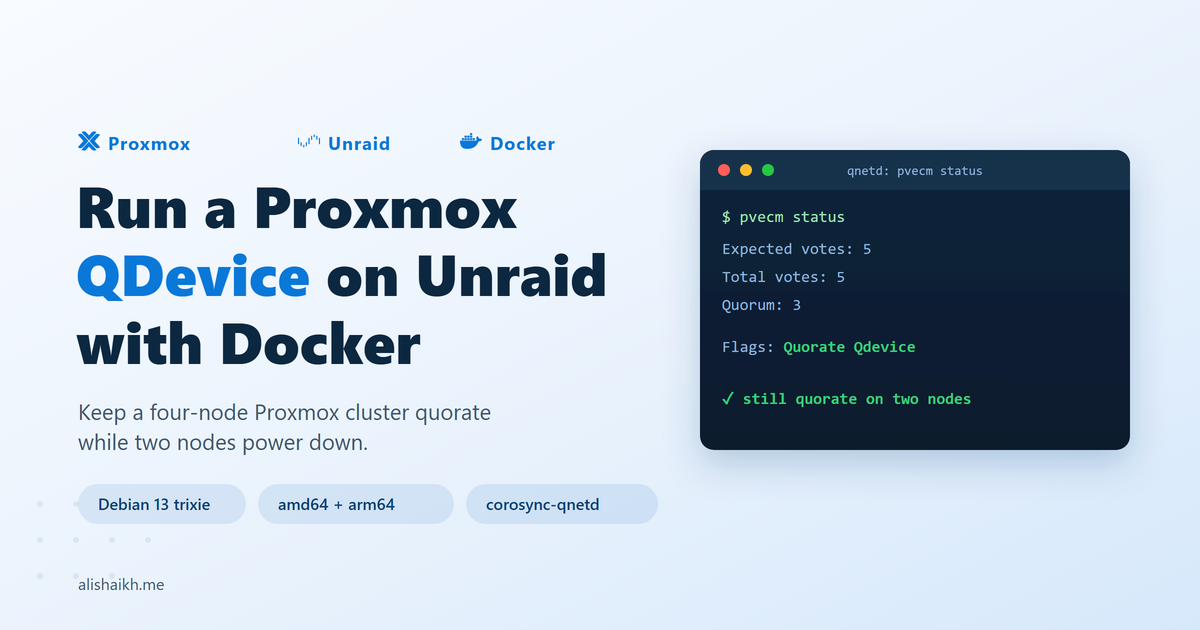
| 4 nodes + QDevice, 2 shut down | 5 | 3 | 3 | yes, exactly |
That last row is what you are buying. Two nodes plus the QDevice hold three votes against a quorum of three, so the cluster stays fully manageable on half the hardware, and the other two nodes come back whenever you want them.
It also sits exactly at the line. Lose anything else and you are back to read-only: one of the two running nodes reboots, Unraid restarts for an update, the container gets recreated, the array stops for a parity check. Any single one of those takes the cluster down.
Two shapes work here. If those two nodes are going away for good, run pvecm delnode on them while the cluster still has quorum and add the QDevice to the resulting two-node cluster. Expected votes of three against a quorum of two means you survive losing either a node or the QDevice, which is real resilience.
Seasonal shutdowns are the other shape, and the one I am in. Keeping both nodes as cluster members means they rejoin in October by being switched on, with no reinstall, and that reversibility is what I was after. The trade is the zero headroom above, and it is a sound trade so long as you do the next section.
Step 0: deal with HA
At zero headroom this is not optional.
ha-manager config
ha-manager status
If ha-manager config returns nothing, you have no HA resources and going inquorate is merely annoying. If it lists services, you have a choice: remove them, or use the disarm command.
Proxmox VE 9 has a mechanism designed for exactly this case:
ha-manager crm-command disarm-ha freeze
That releases all watchdogs cluster-wide so no automatic fencing, failover or recovery takes place, which is precisely what you want for maintenance that causes deliberate quorum loss. Reverse it with ha-manager crm-command arm-ha. Much cleaner than deleting resource definitions and recreating them later.
You can confirm the state from the fencing line in ha-manager status. After a successful disarm it reads disarmed, meaning all watchdogs have been released cluster-wide. armed means the CRM is actively managing services with its watchdog open, and disarming means the request is still in flight.
Do not accept standby as confirmation. That means the HA stack is ready but no CRM is currently running as master, which is a different condition entirely and can be true while you are still very much armed.
Step 1: get the repositories clean
corosync-qdevice is not installed on a Proxmox node by default. PVE 9 is based on Debian 13 trixie and moved to deb822 repository format, so the files under /etc/apt/sources.list.d/ end in .sources rather than .list. If you hand-edited them during a PVE 8 to 9 upgrade there is a fair chance one is malformed.
apt update
Confirm that comes back clean first. Skipping it is how people end up staring at "Unable to locate package corosync-qdevice" and blaming the QDevice for a repository problem.
Step 2: the container image
PVE 9 is Debian 13 trixie based, so building the qnetd image on debian:trixie-slim gives you an exact corosync version match with your nodes. The prebuilt images floating around Docker Hub are mostly stale, built against PVE 6, and most ship without an SSH server, which means pvecm qdevice setup cannot drive them and you have to exchange certificates by hand.
I built and published my own:
cloudsprocket/corosync-qnetd
Source and Dockerfile are on GitHub. The design points that matter:
debian:trixie-slimbase withcorosync-qnetdandopenssh-server, nothing else. Do not installcorosync-qdevicein the image. That is the client side and it belongs on the Proxmox nodes./etc/corosync/qnetd/nssdbdeclared as a volume. The QDevice CA and the signed node certificates live there. Lose it and the QDevice silently stops voting, which at exactly-quorum means a read-only cluster with no warning.- Port 5403 exposed as TCP, not UDP. Several published images and guides get this wrong and produce a container that starts happily and never votes.
- Key-based root SSH preferred, with a password fallback.
pvecm qdevice setuprunsssh-copy-idunder the hood, so it needs to get in the first time. Pre-seeding the node's public key means it reports the key already exists and moves on, and you never expose password auth on a LAN IP.
Step 3: hosting it on Unraid
Give the container its own IP on your LAN. It then behaves like a real host: it can have a DNS name, firewall rules are per-IP, and port collisions stop being something you think about.
There is no choice here either: pvecm qdevice setup reaches the QDevice host over SSH on port 22 with no way to point it elsewhere, and port 22 on Unraid already belongs to Unraid's own sshd. A bridge network with -p mappings is out.
Leave the network type on ipvlan, the Unraid default. The macvlan alternative is unreliable when the parent interface is a bridge such as br0, so there is nothing to change here.
Pick an IP outside your DHCP pool. Addresses throughout this article come from the 192.0.2.0/24 documentation range, so substitute your own: the QDevice sits at 192.0.2.50 and the four nodes at 192.0.2.101 through .104.
Prepare the persistent paths on cache, not the array:
mkdir -p /mnt/user/appdata/qnetd/nssdb /mnt/user/appdata/qnetd/ssh
Grab the root public key from the node you will run setup from:
cat /root/.ssh/id_rsa.pub
Put that in /mnt/user/appdata/qnetd/ssh/authorized_keys and chmod 600 it. Only the node you run pvecm qdevice setup from needs SSH access. The other nodes get their certificates relayed through the cluster filesystem.
Then run it:
docker run -d \
  --name qnetd \
  --network br0 \
  --ip 192.0.2.50 \
  -v /mnt/user/appdata/qnetd/nssdb:/etc/corosync/qnetd/nssdb \
  -v /mnt/user/appdata/qnetd/ssh/authorized_keys:/root/.ssh/authorized_keys:ro \
  cloudsprocket/corosync-qnetd:latest
Recreate it through the Unraid UI
A container created from the command line does appear in Unraid's Docker tab, and you get start, stop, restart, logs and console. What you do not get is:
- Autostart. Unraid keeps its own autostart list on the persistent docker pool, read by
rc.dockerat array start, and the Docker page GUI is the only writer. CLI-created containers do not get the autostart flag. - Edit. Unraid stores run arguments as XML in
/boot/config/plugins/dockerMan/templates-user. No template, no edit form. Changing the IP means deleting the container and retyping the command. - Update and rebuild recovery. Both work off templates. Recreate
docker.imgand a CLI container is simply gone.
Worse, --restart unless-stopped does not save you. When the array stops, Unraid explicitly stops your containers, and unless-stopped means "do not restart something that was deliberately stopped". It is precisely the wrong policy on Unraid.
Given that your quorum now depends on this container, a QDevice that quietly fails to come back after an Unraid reboot means a read-only cluster you will not notice until you next try to start a VM.
Use the CLI to iterate, since it is faster than the form. Once the run command is settled, recreate it through Add Container in the UI, enable Autostart, and drag it near the top of the start order. Then delete the CLI one.
Portainer is worth having for logs, exec and stats, where it is genuinely nicer than Unraid's UI, and it has no runtime relationship with qnetd so it can be down without consequence. For this particular job it writes no Unraid template and no autostart flag, so it leaves you where the CLI does.
Running the image on something other than Unraid
The image runs anywhere Docker does, and everything above carries across except the ipvlan network driver, which is Unraid-specific and exists on other Docker hosts too.
A Raspberry Pi
The image is built multi-arch, so linux/arm64 works as-is. A Pi Zero 2 W or a Pi 3 idles at two to three watts, close to a rounding error next to a Proxmox node.
One caveat: the QDevice CA lives on the SD card. Actual writes are negligible, since the database is created once and then read, but a Pi with a dying SD card is a quorum vote waiting to disappear. If your cluster genuinely matters, boot from a USB SSD.
Synology, QNAP, TrueNAS
Structurally identical to Unraid. The NAS OS owns port 22, so give the container its own IP on a macvlan network through Container Manager or the equivalent. The same two warnings apply: persist the nssdb volume, and check how your NAS handles container autostart after a reboot rather than assuming Docker's restart policy is enough.
Any Docker host where port 22 is free
If the host is not running its own sshd on 22, plain bridge networking with port mappings will work:
docker run -d --name qnetd \
  -p 22:22 -p 5403:5403 \
  -v qnetd-nssdb:/etc/corosync/qnetd/nssdb \
  -v /path/to/authorized_keys:/root/.ssh/authorized_keys:ro \
  cloudsprocket/corosync-qnetd:latest
Note that 5403 is TCP. This is fewer moving parts, but you are claiming two host ports for one container and you will collide with something eventually. On a host that runs anything else, a dedicated IP is still the cleaner answer.
Two placements to avoid
- Never on a cluster node. The QDevice has to be an independent observer. A node voting for itself is not a tie-breaker.
- Never in a VM hosted on the cluster it arbitrates. This one looks tempting and it is a deadlock. The cluster loses quorum, so
/etc/pvegoes read-only, so you cannot start the VM, so the QDevice never comes back, so quorum never returns. You get to fix it by hand at exactly the moment you least want to.
One corosync-qnetd instance handles new clusters as they connect, so a single container can arbitrate several clusters at once if you have more than one.
Step 4: wire it up
On every node, including the two you are about to shut down:
apt install corosync-qdevice
Miss one and pvecm qdevice setup fails partway through with corosync-qdevice-net-certutil: command not found, leaving a half-built certificate database you then get to clean up manually.
Verify SSH before you touch the cluster. This also gets the host key into known_hosts, without which setup hangs on the host key prompt and the failure looks like a network problem:
ssh -v [email protected] hostname
Three things to look for in the verbose output: Authenticated using "publickey", a line reading Remote: /root/.ssh/authorized_keys:1: key options: which proves sshd parsed the file and StrictModes passed, and a container ID as the returned hostname. That last one matters. A misconfigured ipvlan setup can quietly land you on the Unraid host instead, and everything after that will be baffling.
Then, from that node, with all four nodes online:
pvecm qdevice setup 192.0.2.50
One command. It initialises the CA on the container, generates a certificate request per node, signs it, distributes the signed certificates cluster-wide, and enables corosync-qdevice everywhere.
Run this with nodes offline and they come back later with no certificate and no vote, and you get to wipe nssdb and start again.
Step 5: verify
Before:
Config Version:   8
Expected votes:   4
Highest expected: 4
Total votes:      4
Quorum:           3
Flags:            Quorate
After:
Config Version:   9
Expected votes:   5
Highest expected: 5
Total votes:      5
Quorum:           3
Flags:            Quorate Qdevice

Membership information
----------------------
    Nodeid      Votes    Qdevice Name
0x00000001          1    A,V,NMW 192.0.2.102
0x00000002          1    A,V,NMW 192.0.2.101 (local)
0x00000003          1    A,V,NMW 192.0.2.103
0x00000004          1    A,V,NMW 192.0.2.104
0x00000000          1            Qdevice
Decoding the flags:
- A = Alive. The node's link to qnetd is up. The failure state is
NA. - V = Vote. The node is receiving the QDevice vote.
NVis the state people end up on the Proxmox forum asking about, and it usually means the node cannot reach the qnetd host. - NMW = Not Master Wins, which is correct for ffsplit.
Also check that the Qdevice line shows 1 vote and not 3. One vote means you are on the ffsplit algorithm, the right one for an even-numbered cluster. Three would mean lms, whose default vote count is nodes minus one, and it makes a cluster more fragile when the QDevice itself goes down, not less.
Cross-check from Unraid:
docker exec qnetd corosync-qnetd-tool -lv
That prints the algorithm, the tie-breaker, and per-node client address, ring ID, membership list and TLS status. You want four connected clients and TLS active. This is the check people skip, and fewer than four clients means a node never got its certificate. You will not find out until you shut nodes down and the arithmetic does not add up.
Which two nodes to shut down
For a clean shutdown it makes no difference. There is only one partition, so ffsplit gives it the vote and no tie-break is needed.
It matters if you ever hit a genuine 2-2 network split where both halves are alive and can both reach qnetd. Then the tie-breaker decides, and the default is the partition containing the lowest node ID.
So keep the two lowest node IDs running and shut down the two highest. In my case that means .101 and .102 stay up, .103 and .104 go off. If the switch between them ever fails, the QDevice vote lands on the side I actually wanted.
Note that node IDs do not necessarily follow hostname order. Mine do not: the host at .101 is node ID 2, while .102 is node ID 1. Read the membership list rather than assuming.
Things that bit me
The chmod warning that is not a problem. The entrypoint logs Could not chmod /root/.ssh/authorized_keys, continuing (read-only mount?) on every start when the key is mounted read-only, which is how I recommend mounting it. A read-only bind mount refuses chmod whether or not the permissions are already correct, so the warning fires in the working case too. I spent a while chasing it before accepting it was noise. The only test that matters is whether ssh -v authenticates.
The "certificate store already initialised" error is not the container. Re-run pvecm qdevice setup after a failed attempt and it dies with QDevice certificate store already initialised, set force to delete!. The natural assumption is that the container's CA is in the way, since the container does create one on first start. It is not. That check is against the node-local store at /etc/corosync/qdevice/net/nssdb, and the fix is pvecm qdevice setup <qdevice-ip> --force, which deletes it and starts over.
Leave the container's CA alone. pvecm runs corosync-qnetd-certutil -i on the qnetd host and deliberately ignores the error when a database already exists, so it simply reuses the CA that is there. It has to be created at start in any case, because corosync-qnetd refuses to run against an empty nssdb and exits with NSS error (-8174): security library: bad database.
Bracketed paste. Unrelated to any of this, but if pasting into your node's shell produces ^[[200~ prefixes, add set enable-bracketed-paste on to /root/.inputrc and log back in.
Testing the failure you are actually exposed to
- Stop the Unraid array and start it again. Confirm qnetd comes back on its own and
pvecm statusstill shows the Qdevice line. - Shut down your two nodes. Confirm
Total votes: 3,Quorum: 3, stillQuorate. - While in that state, start and stop a VM. Read-only failures are quiet, so make the cluster prove it is writable.
Keep Reading
If Proxmox itself is new to you, Build Kubernetes-Ready Ubuntu 24.04 Templates in Proxmox covers building the VM templates a cluster like this one runs from. The same Unraid box hosting this QDevice also carries the storage layer in Baremetal Kubernetes Storage: NFS Setup with Unraid (Part 1). And the Unraid autostart trap from Step 3 has a cousin worth knowing if you run Compose stacks there too, covered in Managing Docker Compose Applications with systemd, a Portainer Example.
You can find more homelab and DevOps articles on the homepage at alishaikh.me.
Was it worth it
Two nodes off through the worst of a Dubai summer is real money, and the QDevice cost about twenty minutes of setup and a container idling on a few megabytes of RAM.
Be clear about what you have built, though. Four nodes with two asleep plus a QDevice is a manageable cluster that survives having half its nodes off. It runs at exactly quorum, so the QDevice earns the same care as the nodes themselves rather than being treated as a spare-parts container. If you want resilience on top of that, delnode down to two and accept the reinstall cost. If you want reversibility, take this route, turn HA off, and test your array restart before you rely on it.
Come October, the other two nodes come back on and the whole thing returns to four votes without me touching a thing. That is the part I was buying.