Run AWS on Your Laptop: A 9-Part LocalStack Build Series (Part 6 - EventBridge and Step Functions Photo Workflow)
Build a real Step Functions workflow on LocalStack: validate, fan out across parallel Lambdas, then notify via SNS. Trigger it manually, then wire it to an EventBridge schedule and watch it fire automatically.

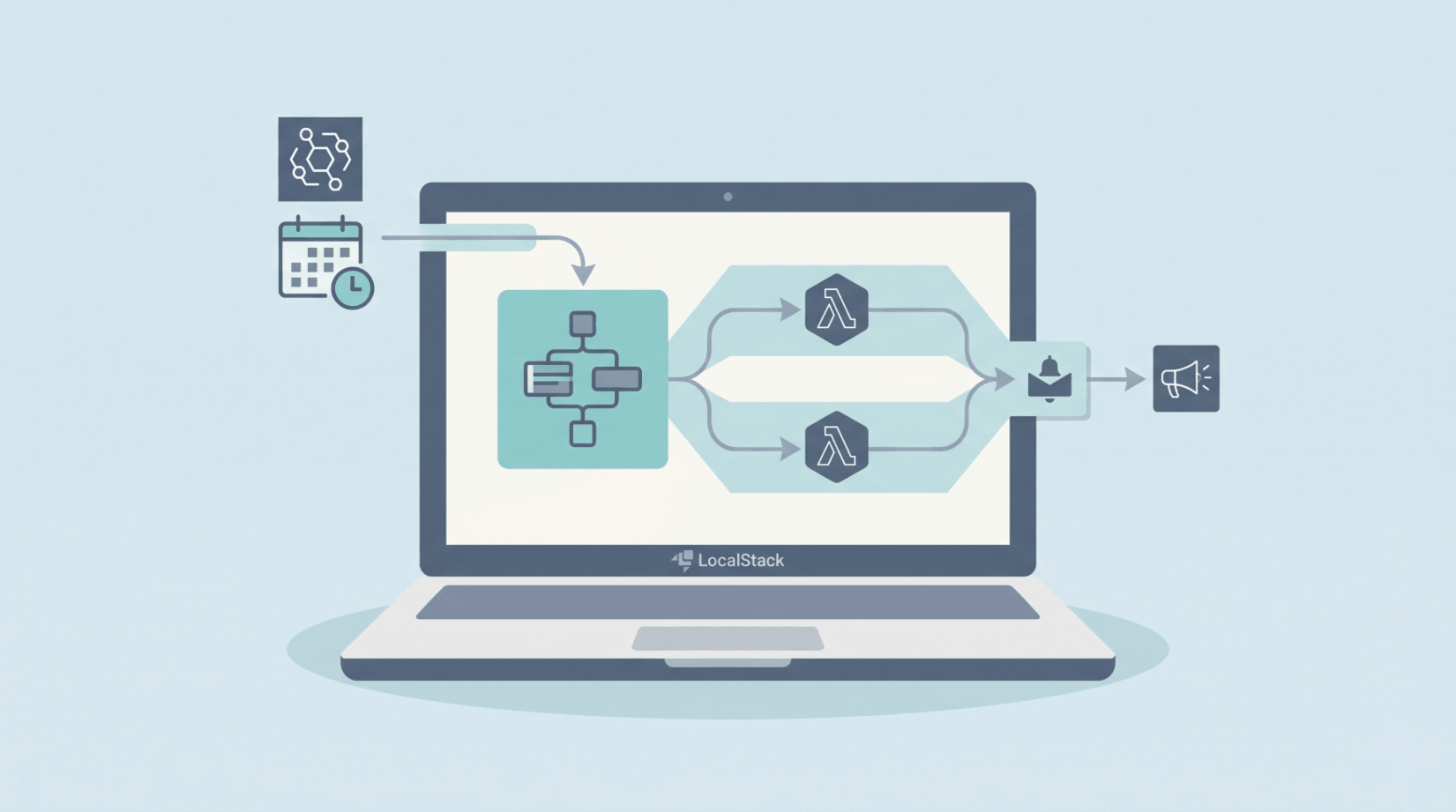
SQS in Part 5 - SQS, SNS, and a Dead-Letter Queue handled "send one message and forget". Real apps eventually need workflows: validate something, fan out across multiple steps, wait for them all, then act on the combined result. That's what Step Functions exists for. We'll build a four-Lambda photo-processing state machine, wire it to an EventBridge schedule, and watch it fire automatically.
What you'll need: Part 0 setup, Part 5 finished (we'll reuse theuser-eventsSNS topic and thephotosbucket), Python 3.12, Docker (for Lambda invocations), and 60 minutes.
What we're building
EventBridge schedule (rate(1 minute) or cron)
            │
            ▼
   Step Functions: PhotoProcessor
   ┌──────────────────────────────────────┐
   │  ValidateImage  (Lambda)             │
   │       │                              │
   │       ▼                              │
   │  ProcessInParallel  ───┐             │
   │     ├─ ExtractMetadata │  fan-out    │
   │     └─ ApplyTags       │             │
   │  ◀────────────────────┘  fan-in      │
   │       │                              │
   │       ▼                              │
   │  PrepareNotifyInput (Pass)           │
   │       │                              │
   │       ▼                              │
   │  NotifyComplete  (Lambda → SNS)      │
   └──────────────────────────────────────┘
Four Lambdas, one Parallel state, one Pass state for input shaping, all orchestrated by Step Functions. The trigger is an EventBridge rule - same rule type you'd use for "run nightly cleanup", "reprocess yesterday's uploads", "kick off the daily ingestion".
Why Step Functions and not just Lambdas calling Lambdas
Quick framing if you haven't reached for Step Functions before:
- Visibility. Step Functions records every state transition automatically. Open the execution history (or
get-execution-history) and you can see exactly which step ran when, what it returned, and where it failed. - Built-in retry, catch, timeout. Each state in the ASL JSON can declare retry policies and error handlers. No try/except gymnastics in your Lambda code.
- Parallel and Map states. Fan out across N branches or N items in a list, with the runtime collecting the results for you. Doing this with raw SQS + Lambda involves a lot of glue.
- Long-running. Standard Step Functions can run for up to a year. Lambda alone is capped at 15 minutes per invocation.
For two-Lambda chains, calling Lambda directly is fine. For anything with branches, retries, or human-in-the-loop steps, reach for Step Functions.
Step 1: Project layout
cd ~/projects/localstack-series
mkdir part6-stepfunctions
cd part6-stepfunctions
mkdir validate extract-metadata apply-tags notify
Four small Lambdas, one folder each.
Step 2: The four Lambdas
Each is small and purpose-built. The goal is to demonstrate the orchestration, not to do real image processing - Part 3 already built the thumbnailer and these Lambdas can grow into anything you want.
validate/handler.py - checks the input is a real S3 object
import os

import boto3

ENDPOINT = os.environ.get("AWS_ENDPOINT_URL") or "http://localhost.localstack.cloud:4566"
MAX_BYTES = 25 * 1024 * 1024  # 25 MB cap

s3 = boto3.client("s3", endpoint_url=ENDPOINT, region_name="us-east-1")


def handler(event, context):
    bucket = event["bucket"]
    key = event["key"]
    head = s3.head_object(Bucket=bucket, Key=key)
    size = head["ContentLength"]
    if size > MAX_BYTES:
        raise ValueError(f"file too large: {size} bytes (max {MAX_BYTES})")
    return {
        "bucket": bucket,
        "key": key,
        "size": size,
        "content_type": head.get("ContentType", "application/octet-stream"),
    }
extract-metadata/handler.py - pulls S3 metadata
import os
from datetime import timezone

import boto3

ENDPOINT = os.environ.get("AWS_ENDPOINT_URL") or "http://localhost.localstack.cloud:4566"

s3 = boto3.client("s3", endpoint_url=ENDPOINT, region_name="us-east-1")


def handler(event, context):
    head = s3.head_object(Bucket=event["bucket"], Key=event["key"])
    return {
        "size_bytes": head["ContentLength"],
        "content_type": head.get("ContentType", "application/octet-stream"),
        "etag": head["ETag"].strip('"'),
        "last_modified": head["LastModified"].astimezone(timezone.utc).isoformat(),
    }
apply-tags/handler.py - assigns deterministic tags from content type
CATEGORY_BY_TYPE = {
    "image/jpeg": "photo",
    "image/png":  "photo",
    "image/webp": "photo",
    "image/gif":  "animation",
    "video/mp4":  "video",
    "application/pdf": "document",
}


def handler(event, context):
    content_type = event.get("content_type", "application/octet-stream")
    return {
        "category": CATEGORY_BY_TYPE.get(content_type, "other"),
        "tags": [content_type.split("/")[0], "user-upload"],
    }
notify/handler.py - publishes the combined result to SNS
import json
import os

import boto3

ENDPOINT = os.environ.get("AWS_ENDPOINT_URL") or "http://localhost.localstack.cloud:4566"
TOPIC_ARN = os.environ.get("TOPIC_ARN", "arn:aws:sns:us-east-1:000000000000:user-events")

sns = boto3.client("sns", endpoint_url=ENDPOINT, region_name="us-east-1")


def handler(event, context):
    payload = {
        "type": "photo-processed",
        "bucket": event["validate"]["bucket"],
        "key": event["validate"]["key"],
        "size_bytes": event["metadata"]["size_bytes"],
        "category": event["tags"]["category"],
        "tags": event["tags"]["tags"],
    }
    out = sns.publish(
        TopicArn=TOPIC_ARN,
        Subject="photo-processed",
        Message=json.dumps(payload),
    )
    return {"message_id": out["MessageId"], "payload": payload}
The notify Lambda expects the input in a specific shape ({ "validate": ..., "metadata": ..., "tags": ... }) - that's what the Pass state in the workflow produces.
Step 3: Bundle and deploy the Lambdas
for fn in validate extract-metadata apply-tags notify; do
  cd $fn && zip -q ../$fn.zip handler.py && cd ..
done

for fn in validate extract-metadata apply-tags notify; do
  awslocal lambda create-function \
    --function-name "sf-$fn" \
    --runtime python3.12 \
    --role arn:aws:iam::000000000000:role/lambda-role \
    --handler handler.handler \
    --zip-file fileb://$fn.zip \
    --timeout 10
done

for fn in validate extract-metadata apply-tags notify; do
  awslocal lambda wait function-active-v2 --function-name "sf-$fn"
done
The sf- prefix keeps these visually distinct from the API Gateway Lambdas in Part 4.
Step 4: Define the state machine
Step Functions describes workflows in Amazon States Language (ASL) - JSON. Save as state-machine.json:
{
  "Comment": "Photo processing workflow - validate, fan out, notify",
  "StartAt": "ValidateImage",
  "States": {
    "ValidateImage": {
      "Type": "Task",
      "Resource": "arn:aws:lambda:us-east-1:000000000000:function:sf-validate",
      "ResultPath": "$.validate",
      "Next": "ProcessInParallel"
    },
    "ProcessInParallel": {
      "Type": "Parallel",
      "ResultPath": "$.parallelResults",
      "Branches": [
        {
          "StartAt": "ExtractMetadata",
          "States": {
            "ExtractMetadata": {
              "Type": "Task",
              "Resource": "arn:aws:lambda:us-east-1:000000000000:function:sf-extract-metadata",
              "InputPath": "$.validate",
              "End": true
            }
          }
        },
        {
          "StartAt": "ApplyTags",
          "States": {
            "ApplyTags": {
              "Type": "Task",
              "Resource": "arn:aws:lambda:us-east-1:000000000000:function:sf-apply-tags",
              "InputPath": "$.validate",
              "End": true
            }
          }
        }
      ],
      "Next": "PrepareNotifyInput"
    },
    "PrepareNotifyInput": {
      "Type": "Pass",
      "Parameters": {
        "validate.$": "$.validate",
        "metadata.$": "$.parallelResults[0]",
        "tags.$": "$.parallelResults[1]"
      },
      "Next": "NotifyComplete"
    },
    "NotifyComplete": {
      "Type": "Task",
      "Resource": "arn:aws:lambda:us-east-1:000000000000:function:sf-notify",
      "End": true
    }
  }
}
The bits worth understanding:
ResultPath: "$.validate"inValidateImage- by default Step Functions replaces the entire input with the Lambda's output.ResultPathsays "merge the result into$.validate, preserve everything else". Lets later states still see the original input.Parallelstate - runs each branch concurrently. Each branch sees the full input and produces its own output. The state's combined output is an array, one entry per branch.InputPath: "$.validate"in each Parallel branch - restricts what each branch's Lambda sees. Without it the Lambda would receive the wrapping{ validate: {...} }and have to dig.- Pass state with
Parameters- pure data shaping, no Lambda required. We use$.parallelResults[0]and$.parallelResults[1]to pick the two branch outputs and reshape them into the structure the notify Lambda expects. .$suffix onParameterskeys - tells Step Functions "this is a JSONPath expression, evaluate it". Without it the value would be a literal string.
Step 5: Create the state machine
SM_ARN=$(awslocal stepfunctions create-state-machine \
  --name PhotoProcessor \
  --role-arn arn:aws:iam::000000000000:role/stepfunctions-role \
  --definition file://state-machine.json \
  --query 'stateMachineArn' --output text)

echo $SM_ARN
# arn:aws:states:us-east-1:000000000000:stateMachine:PhotoProcessor
For this local walkthrough, a placeholder role ARN is enough to satisfy the API request shape. LocalStack does not enforce IAM by default unless you explicitly turn it on. In real AWS, this role must allow the workflow to invoke the resources it uses.
Step 6: Run it manually
We need a photo for the workflow to chew on. Reuse the photos bucket from Part 1 (or create one):
awslocal s3 mb s3://photos    # if you don't already have it

python3 -c "
from PIL import Image
Image.new('RGB', (640, 480), color='teal').save('sample.jpg', 'JPEG')
"
awslocal s3 cp sample.jpg s3://photos/sample.jpg
Start an execution:
EXEC_ARN=$(awslocal stepfunctions start-execution \
  --state-machine-arn "$SM_ARN" \
  --input '{"bucket":"photos","key":"sample.jpg"}' \
  --query 'executionArn' --output text)
Poll for completion:
awslocal stepfunctions describe-execution \
  --execution-arn "$EXEC_ARN" \
  --query '{Status:status,Output:output}'
{
  "Status": "SUCCEEDED",
  "Output": "{\"message_id\":\"b97d99c3-ffc5-4969-bc26-187f54684cca\",\"payload\":{\"type\":\"photo-processed\",\"bucket\":\"photos-part6-20260527-225319\",\"key\":\"sample.jpg\",\"size_bytes\":5429,\"category\":\"photo\",\"tags\":[\"image\",\"user-upload\"]}}"
}
In my test run, the workflow completed in just under 4 seconds end to end. The notify Lambda's message_id is real - it published to the user-events SNS topic, so any SQS subscriber on that topic now has a new message to consume.
Step 7: Read the execution history
The killer feature of Step Functions is that you don't have to add logging - the runtime records every transition. Here's the history of the run above:
awslocal stepfunctions get-execution-history --execution-arn "$EXEC_ARN" \
  --query 'events[?stateEnteredEventDetails.name || stateExitedEventDetails.name].{name:stateEnteredEventDetails.name || stateExitedEventDetails.name,type:type}' \
  --output table
+---------------------+------------------------+
|        name         |         type           |
+---------------------+------------------------+
| ValidateImage       | TaskStateEntered       |
| ValidateImage       | TaskStateExited        |
| ProcessInParallel   | ParallelStateEntered   |
| ExtractMetadata     | TaskStateEntered       |
| ApplyTags           | TaskStateEntered       |
| ApplyTags           | TaskStateExited        |
| ExtractMetadata     | TaskStateExited        |
| ProcessInParallel   | ParallelStateExited    |
| PrepareNotifyInput  | PassStateEntered       |
| PrepareNotifyInput  | PassStateExited        |
| NotifyComplete      | TaskStateEntered       |
| NotifyComplete      | TaskStateExited        |
+---------------------+------------------------+
The two parallel branches both started before either finished - that's the runtime fan-out doing its job. ApplyTags happened to finish before ExtractMetadata in this run; in a different run the order could swap. The Parallel state waits for both before moving on.
Step 8: Wire an EventBridge schedule
So far we've been triggering executions manually. Real workflows usually run on a schedule (nightly cleanup, hourly ingest) or in response to an event (S3 upload, queue depth alarm). EventBridge handles both. Scheduled rules are still EventBridge rules - they just use a schedule-expression instead of an event pattern.
Create a scheduled rule:
awslocal events put-rule \
  --name nightly-photo-reprocess \
  --schedule-expression "rate(1 minute)" \
  --state ENABLED
Real production rules use rate(1 day) or a cron(0 3 * * ? *) (3am daily) expression. We're using rate(1 minute) so we don't have to wait overnight to see it work.
Attach the state machine as a target. Save this as targets.json:
[
  {
    "Id": "1",
    "Arn": "REPLACE_WITH_YOUR_STATE_MACHINE_ARN",
    "RoleArn": "arn:aws:iam::000000000000:role/eventbridge-invoke-sfn",
    "Input": "{\"bucket\":\"photos\",\"key\":\"sample.jpg\"}"
  }
]
Then apply it:
awslocal events put-targets \
  --rule nightly-photo-reprocess \
  --targets file://targets.json
Set the Arn in targets.json to your $SM_ARN first. The Input is what gets passed to the state machine when the rule fires - same shape as the --input flag in start-execution. In real AWS you'd often use InputTransformer to derive this from the triggering event; for a fixed schedule, a static Input is fine. Using a file here is less brittle than shell-escaping JSON inside the command line.
Wait a couple of minutes, then list executions:
awslocal stepfunctions list-executions \
  --state-machine-arn "$SM_ARN" \
  --max-items 5 \
  --query 'executions[*].{Status:status,Started:startDate,Name:name}' --output table
+---------------------------------------+------------------------------------+-----------+
|                 Name                  |              Started               |  Status   |
+---------------------------------------+------------------------------------+-----------+
| 89667977-f7e8-4c56-aee0-03103e531be1  | 2026-05-27T22:56:30.397882+04:00   | SUCCEEDED |
| c27a0cb5-7e1e-47bf-a6bd-550338033a0a  | 2026-05-27T22:55:30.496356+04:00   | SUCCEEDED |
| 8768ebde-0987-473c-92ce-c9fe5b731c41  | 2026-05-27T22:54:30.610608+04:00   | SUCCEEDED |
| d337ba22-d289-4420-a28c-b5c49391b6fd  | 2026-05-27T22:53:28.161264+04:00   | SUCCEEDED |
+---------------------------------------+------------------------------------+-----------+
The earliest is the manual run from Step 6. The next three - one minute apart - are the EventBridge schedule firing. Four executions, all succeeded, three of them automatic. Real cron working locally.
Don't leave a rate(1 minute) rule enabled longer than the test:
awslocal events disable-rule --name nightly-photo-reprocess
A note on the v1 EventBridge provider (gone in 2026.04.0)
Heads up if you're following older LocalStack tutorials: the legacy v1 EventBridge provider was removed in the 2026.04.0 release. What we built here uses the v2 provider - the default since LocalStack 4.0. If you copy-paste a PROVIDER_OVERRIDE_EVENTS=v1 from somewhere, drop it.
Common pitfalls
- State machine creation succeeds but executions fail with "Lambda not found". Check the ARNs in
state-machine.json- they're hardcodedarn:aws:lambda:us-east-1:000000000000:function:...strings. If you renamed the Lambdas, the ARNs need updating. - Pass state output is a literal
"$.validate"string instead of the value. You forgot the.$suffix on the Parameters key. - Parallel state's branch outputs end up as
[null, null]. Each branch's Lambda needs to actually return something. Areturn Noneor unhandled exception produces null. - EventBridge rule never fires. Check
awslocal events describe-rule --name nightly-photo-reprocessand confirm the rule isENABLED. Brand-new rules sometimes default to disabled depending on how they were created. Could not connect to localstack:4566in Lambda logs. Same hostname gotcha as Parts 3 and 4 - setAWS_ENDPOINT_URL=http://localhost.localstack.cloud:4566in the Lambda environment, notlocalhost:4566.
Cleanup commands worth knowing
# Disable then delete the rule
awslocal events disable-rule --name nightly-photo-reprocess
awslocal events remove-targets --rule nightly-photo-reprocess --ids 1
awslocal events delete-rule --name nightly-photo-reprocess

# Delete the state machine
awslocal stepfunctions delete-state-machine --state-machine-arn "$SM_ARN"

# Remove the four Lambdas
for fn in validate extract-metadata apply-tags notify; do
  awslocal lambda delete-function --function-name "sf-$fn"
done
If you're going on to Part 7, don't tear down the SNS topic - Secrets Manager and KMS will sit alongside it, not replace it.
Save this as a checkpoint
The four Lambdas are awkward to bootstrap from a one-off shell script (zip files, code paths, IAM ARNs), so the checkpoint script just creates the supporting EventBridge rule and ensures the photos bucket exists. The Lambdas, the state machine, and the schedule target wiring stay manual.
Save as init/ready.d/06-part6-stepfunctions.sh:
#!/usr/bin/env bash
# Part 6 checkpoint - supporting resources for the Step Functions workflow
# (Lambdas + state machine + targets are article-driven; redeploy via the
#  steps above. This script just keeps the photos bucket and the disabled
#  rule shell in place.)
awslocal s3 mb s3://photos 2>/dev/null || true
awslocal events put-rule \
  --name nightly-photo-reprocess \
  --schedule-expression "rate(1 day)" \
  --state DISABLED 2>/dev/null || true
echo "[bootstrap] part 6 - photos bucket + (disabled) schedule rule ready"
chmod +x init/ready.d/06-part6-stepfunctions.sh
Jumping in at Part 6 from scratch? Drop in scripts 01 through 05 from previous articles. Part 6 reuses the photos bucket from Part 1 and the SNS user-events topic from Part 5 - both rebuilt by their checkpoint scripts.
What we'll wire up next
You've got a real workflow running on a schedule, no Python worker process to keep alive, no glue code to maintain. The next part moves to security: storing API keys and credentials in Secrets Manager backed by KMS, decrypting them inside a Lambda at request time, and rotating them. The kind of thing every production app needs and most tutorials hand-wave around.
The full series
- Part 0 - Start here: series intro and installing LocalStack
- Part 1 - S3 locally: buckets, presigned URLs, and a tiny photo uploader
- Part 2 - DynamoDB locally: building a URL shortener data layer
- Part 3 - Lambda + S3 events: an image thumbnailer pipeline
- Part 4 - API Gateway + Lambda + JWT auth: a real HTTP API
- Part 5 - SQS + SNS: a background job queue with a dead-letter queue
- Part 6 - EventBridge + Step Functions: orchestrating a photo-processing workflow (this article)
- Part 7 - Secrets Manager + KMS: handling secrets and encryption locally
- Part 8 - Terraform (tflocal) + GitHub Actions: integration tests against LocalStack
Sources
- AWS Step Functions - Amazon States Language spec
- LocalStack Step Functions docs
- LocalStack EventBridge docs
- LocalStack 2026.04.0 release notes - EventBridge v1 removed
Related on alishaikh.me