Deploying Azure locally with OpenTofu and floci-az: my real test run
A practical walkthrough of running the OpenTofu azurerm provider against floci-az, including TLS, certificate trust, provider discovery, version notes, and what local Azure testing can and cannot prove.

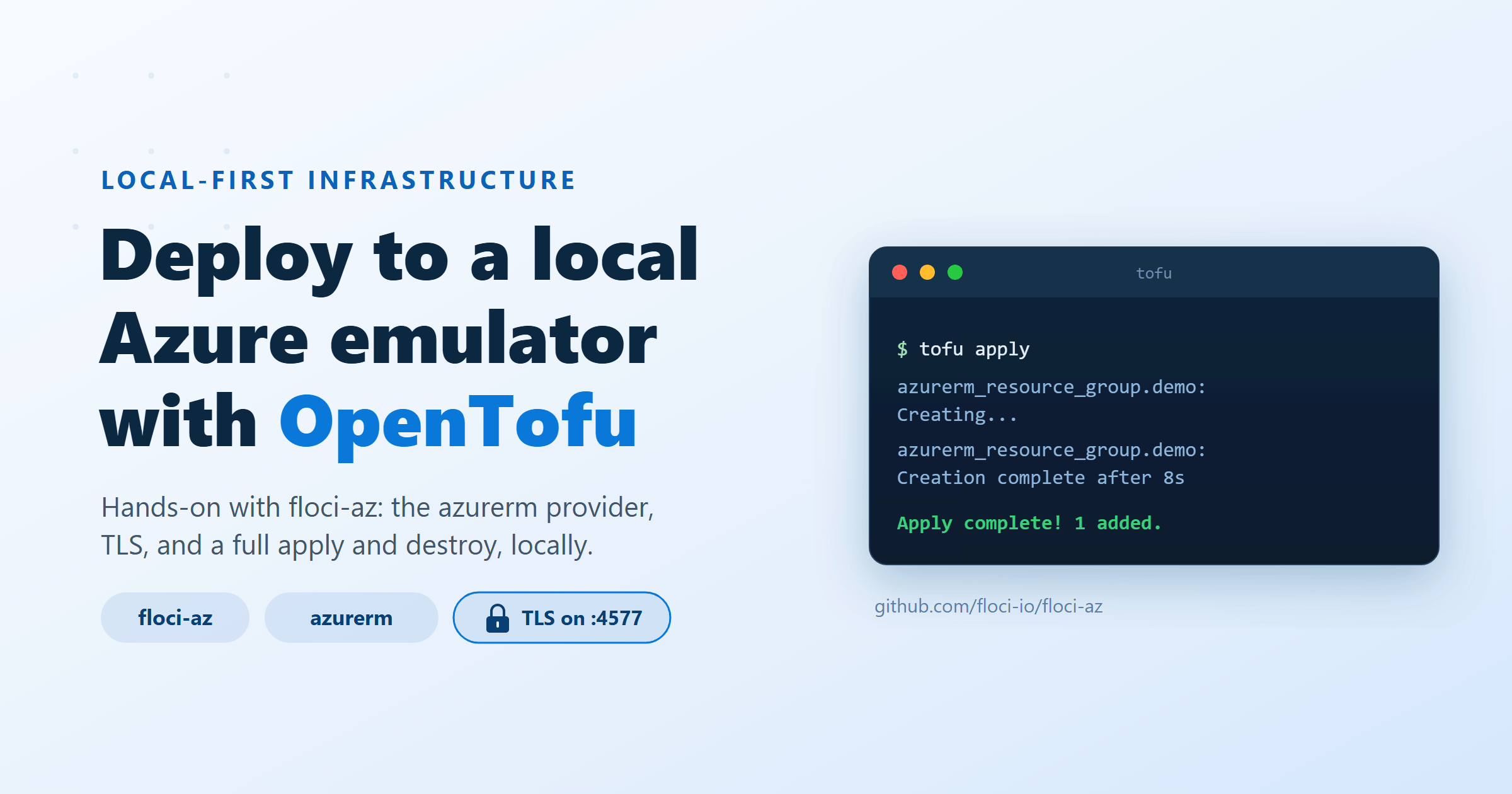
I do a lot of local-first infrastructure work, and the one cloud I could never comfortably dry-run was Azure.
What I wanted was the same loop I already have for AWS: write a recipe, run tofu apply against something on my laptop, break it a few times, then ship the same shape of code to the real cloud when it behaves. That loop is why I’ve been writing the LocalStack series, right through to Terraform, tflocal, and GitHub Actions.
Azure has always felt a bit less tidy for that. Yes, there are official emulators for specific services, such as storage or Cosmos DB, but I wanted something closer to a local Azure-shaped control plane. I had already written about floci and local AWS emulation from a slightly curious distance. This time I wanted to get my hands dirty with floci-az.
So I spent a day getting the OpenTofu azurerm provider to deploy against it. The goal was plain: create a resource through the real provider, destroy it again, and do the whole thing without touching an Azure subscription.
It worked. It also sent me down a few small rabbit holes, mostly around TLS and provider discovery. This is the post I wish I had read before I started, with the claims checked against the current project files and provider docs on 16 June 2026.
First, what is floci-az actually doing?
My first surprise was how much floci-az is trying to cover. It is not just a storage emulator with a nicer logo. The project describes itself as a free, open-source local Azure environment under MIT, covering services such as Blob Storage, Queue Storage, Table Storage, Functions, App Configuration, Key Vault, Cosmos DB, Event Hubs, Service Bus, Azure SQL Database, AKS, API Management, networking, Virtual Machines, Azure Cache for Redis, and Container Registry.
That sounds like a lot, so it helps to split the idea in two.
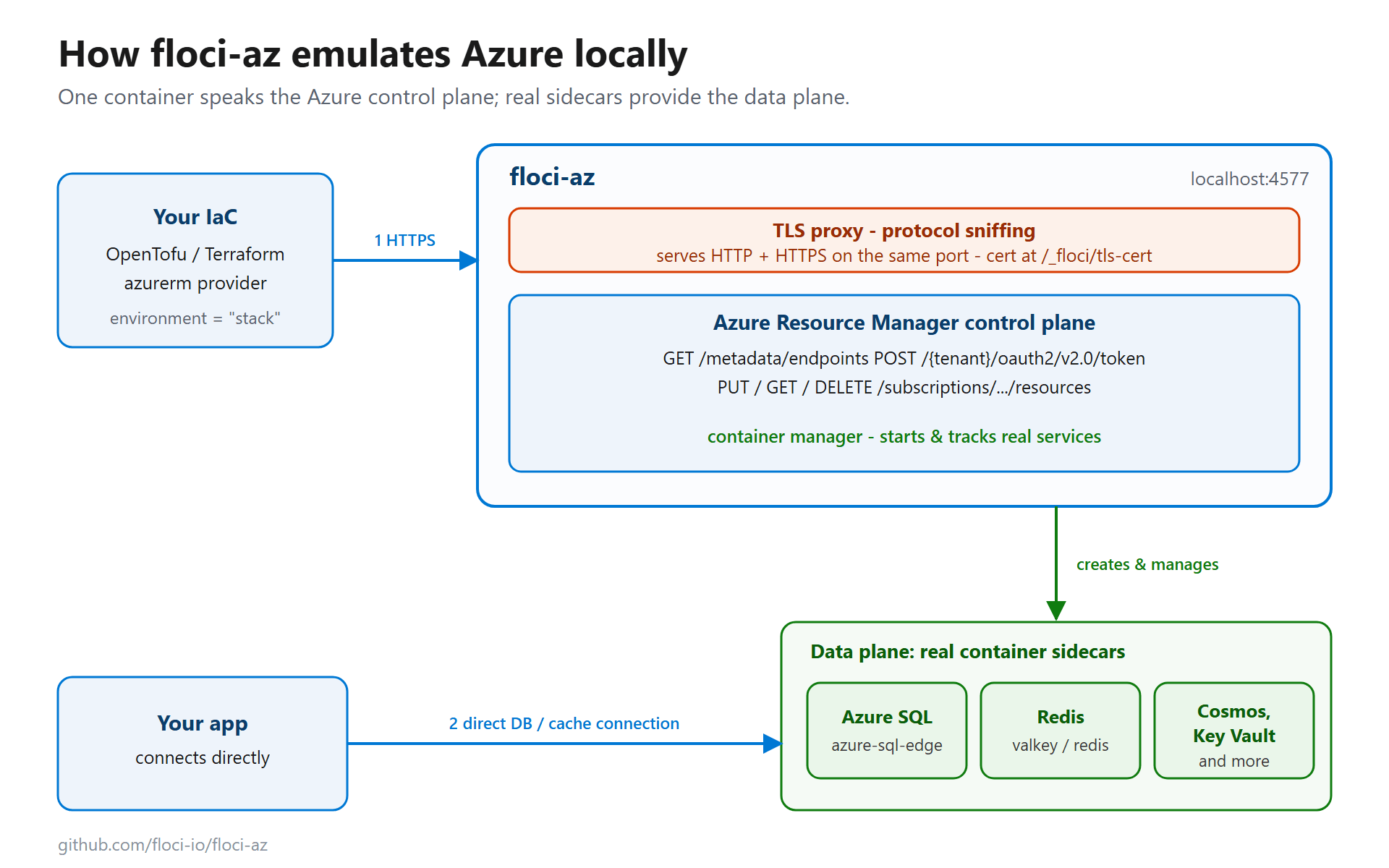
The first layer is the Azure Resource Manager control plane. This is the part my OpenTofu run cared about, because it is what tools like Terraform, OpenTofu, Azure CLI, and SDKs talk to when they create or inspect resources.
The second layer is the data plane. This was the bit that made me pause. Some services are handled inside the emulator. Others are backed by real containers. The README currently documents Azure SQL Database as Docker-backed with azure-sql-edge, Event Hubs and Service Bus with Artemis and optional Redpanda sidecars, AKS with k3s, Azure Cache for Redis with Valkey, and Container Registry with registry:2.
Once I saw that split, the design made more sense. The provider gets an ARM-shaped API to call. Your application gets something more concrete than a fake response when it needs to connect to a database, queue, cache, or service endpoint.
Is it the same as Azure? No. It is a local emulator for development and integration testing, not a perfect copy of every Azure behaviour. That distinction saves a lot of frustration.
The bit OpenTofu needs: Azure endpoint discovery
Before any of this worked, I had to remind myself how the azurerm provider finds Azure in the first place. For public Azure, it already knows. You do not tell it where Resource Manager lives for Azure public cloud, Azure Government, or similar built-in clouds.
For custom Azure environments, such as Azure Stack-style setups, the provider can use metadata discovery. It asks one host for a document at:
GET /metadata/endpoints
That document tells the provider where Resource Manager is, where authentication happens, and which token audiences it should use.
floci-az serves that metadata document. In my local run it returned a response shaped like this:
{
  "name": "floci-az",
  "resourceManager": "https://localhost:4577",
  "authentication": {
    "loginEndpoint": "https://localhost:4577/",
    "audiences": ["https://localhost:4577/"],
    "tenant": "common"
  }
}
There is a neat detail here that I liked. floci-az builds those URLs from the request that reaches it. If I reach it through localhost:4577, it advertises that. If I place it behind another host name in CI, the metadata can match that route instead.
After discovery, the provider asks for an OAuth token:
POST /{tenant}/oauth2/v2.0/token
For local testing, floci-az runs in a development mode where authentication is not treated like real Azure identity. The credentials are placeholders. The handshake still looks real enough for the provider to move on and call ARM.
That is the little trick that makes the whole thing feel normal. Discovery, token, ARM call. Same dance, just on my own machine.
The TLS wrinkle that wasted the most time
Here’s the thing that cost me the most time: the azurerm provider does not want plain HTTP for this path. If the metadata discovery points it to HTTP endpoints, it refuses to play before your resource group even gets a chance to exist.
floci-az already has a fix for that. Start it with TLS enabled:
docker run -d --name floci-az \
  -e FLOCI_AZ_TLS_ENABLED=true \
  -p 127.0.0.1:4577:4577 \
  floci/floci-az:latest
With FLOCI_AZ_TLS_ENABLED=true, floci-az serves HTTP and HTTPS on the same port, 4577. Its README documents this as a protocol-sniffing proxy, so the first bytes of the connection decide whether the request is handled as HTTP or HTTPS.
That sounds a bit odd the first time you hear it, but it makes local use rather pleasant. The project documents a self-signed certificate generated at runtime, with the active certificate available over HTTP:
curl -sf http://localhost:4577/_floci/tls-cert -o floci-az.crt
Then the provider can talk to HTTPS on the same port:
https://localhost:4577
Honestly, this one setting was the difference between a dead end and a working tofu apply.
The OpenTofu provider block I used
Once TLS was running, the provider configuration became smaller than I expected. The floci-az compatibility tests currently pin the AzureRM provider to ~> 3.0 and use OpenTofu from ghcr.io/opentofu/opentofu:1.8, so this is the closest published project reference for the working path:
terraform {
  required_providers {
    azurerm = {
      source  = "hashicorp/azurerm"
      version = "~> 3.0"
    }
  }
}

provider "azurerm" {
  features {}

  environment                = "stack"
  metadata_host              = "localhost:4577"
  skip_provider_registration = true
  use_cli                    = false

  subscription_id = "00000000-0000-0000-0000-000000000001"
  tenant_id       = "00000000-0000-0000-0000-000000000002"
  client_id       = "00000000-0000-0000-0000-000000000003"
  client_secret   = "fake-secret"
}

resource "azurerm_resource_group" "demo" {
  name     = "demo-rg"
  location = "eastus"
}
The important line is:
environment = "stack"
That tells the provider to treat this as a custom Azure environment and use metadata discovery. The metadata_host points it at floci-az. The credentials are fake because the emulator is not checking real Azure identity.
I kept skip_provider_registration = true because provider registration is a real Azure subscription concern, not something I need in a local emulator run. I set use_cli = false so the provider did not try to involve my local Azure CLI login.
One version note before you copy this into your own repo: as of 16 June 2026, the latest AzureRM provider release is 4.77.0. The current provider docs use resource_provider_registrations = "none" for disabling automatic resource-provider registration, while the floci compatibility tests still use the older skip_provider_registration = true with AzureRM ~> 3.0. If you move this example to a newer provider version, check that setting first rather than copying it blindly.
One small detail is worth calling out. When /metadata/endpoints is reached over plain HTTP, floci-az returns HTTP URLs. When the same endpoint is reached over HTTPS with the runtime certificate, it returns HTTPS URLs. So the TLS route is not just about encrypting the connection; it is what makes the metadata document advertise the endpoints the provider needs.
Trusting the local certificate
The certificate part depends on your operating system, and this is where I nearly fooled myself. Local tutorials often wave past certificate trust as if it is one command everywhere. It is not.
On Linux or macOS, this worked for me:
export SSL_CERT_FILE="$PWD/floci-az.crt"
tofu init
tofu apply
On Windows, OpenTofu is built with Go, and Go-based tools commonly rely on the Windows certificate store for system roots. In that case, importing floci-az.crt into the current user’s trusted root store is the cleaner route than relying only on a shell variable.
The apply then behaved like a normal Terraform-style run:
azurerm_resource_group.demo: Creating...
azurerm_resource_group.demo: Creation complete after 8s

Apply complete! Resources: 1 added, 0 changed, 0 destroyed.
And destroy worked the same way:
tofu destroy
No Azure subscription. No cloud bill. No waiting around for a throwaway test resource group to vanish from a real tenant.
What this proves, and what it does not
This is the part I’d be careful with, mostly because local emulators are easy to oversell.
A successful local apply proves that your provider can discover endpoints, authenticate against the emulator, call ARM-shaped APIs, and exercise the resource types floci-az supports. That is useful. Very useful, actually, if you are writing modules, testing CI flows, or teaching infrastructure as code without giving everyone access to a real cloud tenant.
It does not prove that Azure will accept every property, enforce every policy, or behave exactly the same under load. It does not replace a real Azure test environment before production.
So where does it fit?
For me, it fits in the early loop:
- fast module development
- local examples for blog posts and workshops
- CI checks where real Azure credentials would be overkill
- smoke tests for resource wiring
- quick experiments with ARM paths and provider behaviour
Then the later loop still goes to real Azure, where Azure Policy, RBAC, quotas, managed identity, private networking, and platform-specific behaviour can have their say.
That is not a weakness. It is just the proper job boundary for a local emulator.
Why this feels like the Azure half of my LocalStack workflow
The reason I care about this is the same reason I spent time on the LocalStack series. I like being able to make a mess locally.
Local cloud development gives you a shorter feedback loop. It lets you make mistakes where mistakes are cheap. It turns infrastructure work from a slow ticket-and-tenant exercise into something closer to normal software development.
In the final LocalStack part, I used Terraform, tflocal, and GitHub Actions to make a repeatable local AWS stack. The shape here is similar, even if the Azure mechanics differ:
- the provider talks to an emulator
- the emulator exposes cloud-shaped APIs
- infrastructure code stays close to the cloud version
- CI can run without real cloud credentials
- the same mental model carries forward to the real platform
There is a nice symmetry there. AWS has LocalStack. Azure now has a promising local path through floci-az. They are not identical tools, and they do not need to be. The useful bit is the habit: test locally first, push to the cloud later.
A few notes I’d keep beside the terminal
If you try this yourself, these are the notes I would keep close:
- Start floci-az with
FLOCI_AZ_TLS_ENABLED=trueif you are using theazurermprovider. - Fetch the local certificate from
http://localhost:4577/_floci/tls-cert. - Use
environment = "stack"andmetadata_host = "localhost:4577"if you are following the current floci compatibility-test pattern. - Treat the AzureRM provider version as part of the example. The floci test uses
~> 3.0; the latest v4 docs use different resource-provider registration syntax. - Keep
use_cli = falseunless you have a clear reason to involve Azure CLI auth. - Import the certificate into the Windows user trust store if
SSL_CERT_FILEdoes not work. - Treat the emulator as a fast dev and CI target, not as proof that production Azure will behave the same way.
That last point is the boring one, but it matters. Local emulation is brilliant when it is used for the right job.
Where I’d take this next
A resource group is a small test. Useful, but small. It proves the door opens, not that the whole house is ready.
The more interesting next step is a tiny full stack: App Configuration, Key Vault, Storage, a queue, maybe Azure SQL or Redis through the data-plane sidecars. Then I’d wire an application test against it and run the whole thing in CI.
That would make this feel less like ‘can OpenTofu talk to floci-az?’ and more like ‘can my app and my infrastructure move together without needing a real Azure subscription for every branch?’
That is the bit I’m after.
For now, the answer is good enough to keep going. floci-az gave the azurerm provider a local Azure-shaped endpoint, OpenTofu applied a real provider configuration against it, and the TLS problem had a clean fix once I knew where to look.
If your team already likes local-first workflows, this is worth a careful test run.
References
- floci-az project: https://github.com/floci-io/floci-az
- floci-az OpenTofu compatibility test: https://github.com/floci-io/floci-az/tree/main/compatibility-tests/compat-opentofu
- AzureRM provider docs: https://github.com/hashicorp/terraform-provider-azurerm/blob/main/website/docs/index.html.markdown
- OpenTofu releases: https://github.com/opentofu/opentofu/releases
- Earlier floci note: Floci and local AWS emulation: a tool I’m curious to try
- Related LocalStack capstone: Run AWS on Your Laptop, Part 8: Terraform, tflocal, and GitHub Actions CI
- LocalStack intro: LocalStack: Run AWS Services Locally for Free