Run AWS on Your Laptop: A 9-Part LocalStack Build Series (Part 4 - API Gateway, Lambda, and JWT Auth)
Put a real HTTP API in front of the URL shortener from Part 2. API Gateway HTTP API, Lambda, a small JWT authoriser, and curl-based verification running on LocalStack.

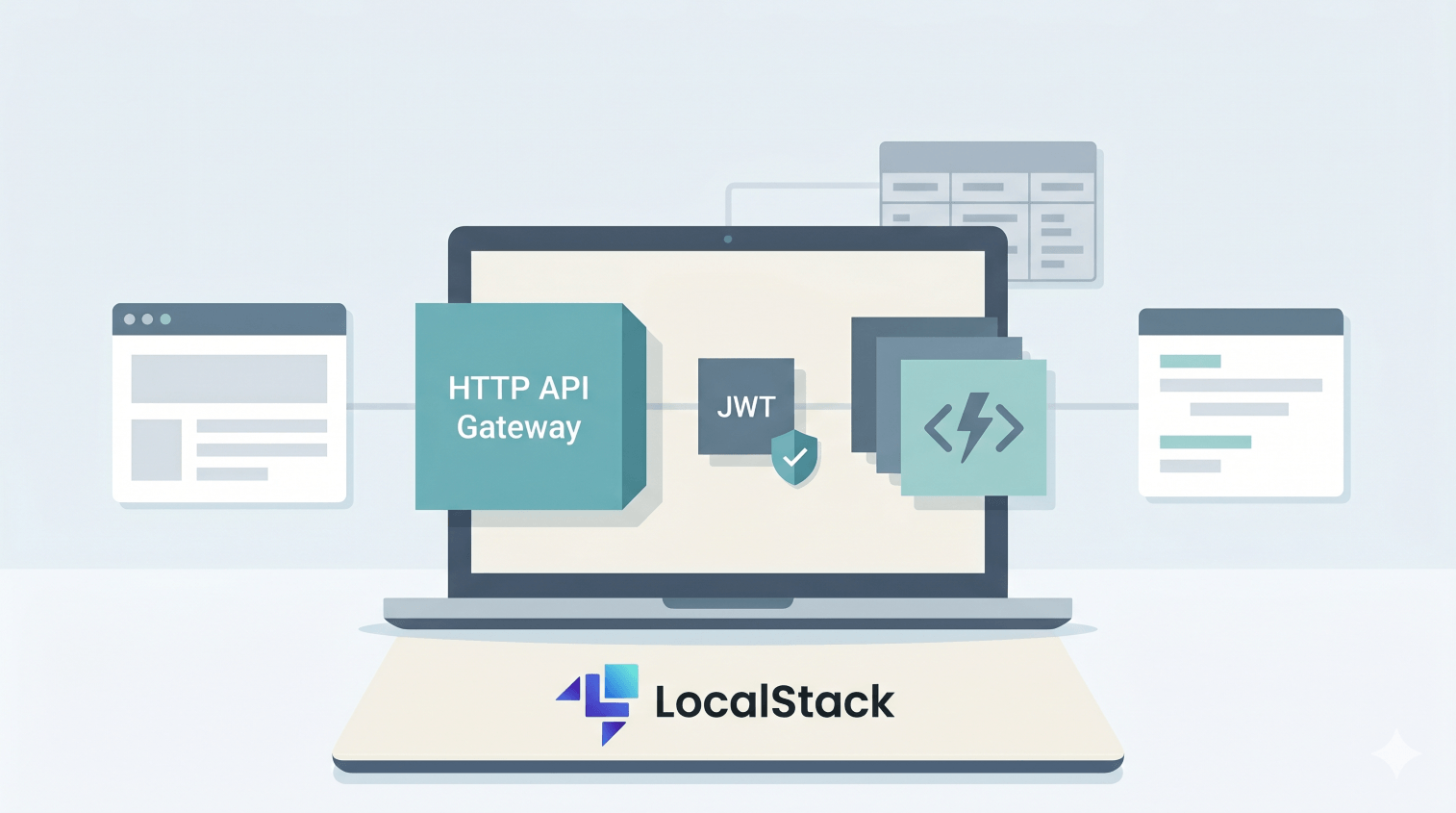
The URL shortener from Part 2 - DynamoDB URL Shortener Data Layer needs an HTTP front door. We'll put API Gateway in front of it, back it with two Lambdas, protect POST /shorten with a third Lambda authoriser, and pass the JWT subject all the way through to DynamoDB. Commands and outputs below were verified against a real LocalStack instance.
What you'll need: Part 0 setup and Part 2 finished (we'll reuse theshortlinkstable), Python 3.12, Docker,curl, and 60 minutes.
What we're building
                       ┌─────────────────────┐
client (curl/browser) ─▶ POST /dev/shorten   │
                       │  with JWT in header │
                       └──────────┬──────────┘
                                  │
                       ┌──────────▼──────────┐
                       │  authorizer Lambda  │
                       │  (validates JWT)    │
                       └──────────┬──────────┘
                                  │ isAuthorized: true
                       ┌──────────▼──────────┐    ┌────────────────┐
                       │   shorten Lambda    │───▶│  DynamoDB      │
                       └─────────────────────┘    │  shortlinks    │
                                                  │                │
client ──────────────▶ GET /dev/r/{code} ────▶│   redirect    │
                                                  │   Lambda       │
                                                  └────────────────┘
                              302 redirect ◀──────────┘
Three pieces of code. One HTTP API gluing them together. By the end of this article you can curl -X POST a shortener running on LocalStack from your terminal - same shape as a real production API.
Why HTTP API rather than REST API
API Gateway has two flavours: REST API (v1) and HTTP API (v2). Both work on LocalStack. Use HTTP API unless you have a specific reason not to:
- HTTP API has lower latency, much simpler config, and ~70% lower cost in real AWS.
- REST API is older and has more features (request validators, SDK generation, usage plans). If you don't need those, skip it.
- Lambda authorisers in HTTP API have a "simple response" mode (
{ "isAuthorized": true }) that REST API doesn't. Cleaner to write.
Everything in this article uses HTTP API.
Step 1: Project layout
cd ~/projects/localstack-series
mkdir part4-api
cd part4-api
mkdir shorten redirect authorizer
Three folders, one Lambda each. Plus a token-signing helper at the project root.
Step 2: The shorten Lambda
Create shorten/handler.py:
import json
import os
import random
import string

import boto3
from botocore.exceptions import ClientError

ENDPOINT = os.environ.get("AWS_ENDPOINT_URL") or "http://localhost.localstack.cloud:4566"
TABLE = os.environ.get("TABLE", "shortlinks")

ddb = boto3.client("dynamodb", endpoint_url=ENDPOINT, region_name="us-east-1")


def random_code(n=6):
    return "".join(random.choices(string.ascii_lowercase + string.digits, k=n))


def handler(event, context):
    try:
        body = json.loads(event.get("body") or "{}")
    except json.JSONDecodeError:
        return _resp(400, {"error": "invalid JSON body"})

    long_url = body.get("long_url")
    code = body.get("code") or random_code()
    if not long_url:
        return _resp(400, {"error": "long_url is required"})

    user_id = (event.get("requestContext", {}).get("authorizer", {}).get("lambda", {}) or {}).get("userId", "anonymous")

    try:
        ddb.put_item(
            TableName=TABLE,
            Item={
                "code": {"S": code},
                "long_url": {"S": long_url},
                "owner_id": {"S": user_id},
                "click_count": {"N": "0"},
            },
            ConditionExpression="attribute_not_exists(code)",
        )
    except ClientError as e:
        if e.response["Error"]["Code"] == "ConditionalCheckFailedException":
            return _resp(409, {"error": f"code '{code}' already taken"})
        raise

    return _resp(201, {"code": code, "long_url": long_url, "owner_id": user_id})


def _resp(status, body):
    return {
        "statusCode": status,
        "headers": {"Content-Type": "application/json"},
        "body": json.dumps(body),
    }
The line worth noticing: event["requestContext"]["authorizer"]["lambda"]["userId"]. That's where the authoriser's context payload lands. Whatever the authoriser puts in context shows up here, available to your handler. We'll use this to record which user owns each shortlink.
Step 3: The redirect Lambda
Create redirect/handler.py:
import json
import os

import boto3
from botocore.exceptions import ClientError

ENDPOINT = os.environ.get("AWS_ENDPOINT_URL") or "http://localhost.localstack.cloud:4566"
TABLE = os.environ.get("TABLE", "shortlinks")

ddb = boto3.client("dynamodb", endpoint_url=ENDPOINT, region_name="us-east-1")


def handler(event, context):
    code = event.get("pathParameters", {}).get("code")
    if not code:
        return {"statusCode": 400, "body": json.dumps({"error": "missing code"})}

    try:
        out = ddb.update_item(
            TableName=TABLE,
            Key={"code": {"S": code}},
            UpdateExpression="SET click_count = if_not_exists(click_count, :zero) + :one",
            ConditionExpression="attribute_exists(code)",
            ExpressionAttributeValues={":one": {"N": "1"}, ":zero": {"N": "0"}},
            ReturnValues="ALL_NEW",
        )
    except ClientError as e:
        if e.response["Error"]["Code"] == "ConditionalCheckFailedException":
            return {
                "statusCode": 404,
                "headers": {"Content-Type": "application/json"},
                "body": json.dumps({"error": "not found"}),
            }
        raise

    return {
        "statusCode": 302,
        "headers": {"Location": out["Attributes"]["long_url"]["S"]},
        "body": "",
    }
statusCode: 302 plus a Location header is all it takes for an API Gateway response to be a redirect. The browser follows it transparently. The ConditionExpression="attribute_exists(code)" matters too: UpdateItem can create an item if you leave it unguarded, so this keeps a missing short code from turning into a ghost row with a counter but no URL.
Step 4: The JWT authoriser Lambda
Create authorizer/handler.py:
import base64
import hashlib
import hmac
import json
import os
import time

JWT_SECRET = os.environ.get("JWT_SECRET", "dev-secret-change-me")


def handler(event, context):
    token = _extract_token(event)
    payload = _verify(token, JWT_SECRET) if token else None

    if not payload:
        return {"isAuthorized": False}

    return {
        "isAuthorized": True,
        "context": {"userId": payload.get("sub", "unknown")},
    }


def _extract_token(event):
    headers = event.get("headers") or {}
    auth = headers.get("authorization") or headers.get("Authorization") or ""
    if auth.lower().startswith("bearer "):
        return auth.split(None, 1)[1].strip()
    return None


def _verify(token, secret):
    parts = token.split(".")
    if len(parts) != 3:
        return None
    header_b64, payload_b64, sig_b64 = parts

    expected = _sign(f"{header_b64}.{payload_b64}", secret)
    if not hmac.compare_digest(expected, sig_b64):
        return None

    try:
        payload = json.loads(_b64url_decode(payload_b64))
    except (ValueError, json.JSONDecodeError):
        return None

    if "exp" in payload and time.time() > payload["exp"]:
        return None

    return payload


def _sign(data, secret):
    sig = hmac.new(secret.encode(), data.encode(), hashlib.sha256).digest()
    return _b64url_encode(sig)


def _b64url_encode(b):
    return base64.urlsafe_b64encode(b).decode().rstrip("=")


def _b64url_decode(s):
    pad = "=" * ((4 - len(s) % 4) % 4)
    return base64.urlsafe_b64decode(s + pad)
This is HS256 JWT verification in pure stdlib - no pyjwt dependency, no zip bundling, the whole authoriser is one file. The shape of the response is what HTTP API expects: { "isAuthorized": true|false, "context": {...} }. The context object becomes available to downstream Lambdas via event.requestContext.authorizer.lambda.
One small event-shape detail: HTTP API payload format 2.0 lowercases header names in the Lambda event. Checking both authorization and Authorization is harmlessly defensive here, but authorization is the key you should expect to see.
A note on production: HS256 with a shared secret is fine for learning and internal services. Public APIs typically use RS256 with a JWKS endpoint so you can rotate keys without redeploying. The verification flow looks similar, but you would switch from HMAC to the cryptography library's asymmetric signature verification methods.
Step 5: A token-signing helper
So we can produce tokens for testing. Create sign-token.py at the project root:
import base64, hashlib, hmac, json, sys, time


def b64url(b):
    return base64.urlsafe_b64encode(b).decode().rstrip("=")


def sign(payload, secret):
    header = b64url(json.dumps({"alg": "HS256", "typ": "JWT"}, separators=(",", ":")).encode())
    body = b64url(json.dumps(payload, separators=(",", ":")).encode())
    sig = hmac.new(secret.encode(), f"{header}.{body}".encode(), hashlib.sha256).digest()
    return f"{header}.{body}.{b64url(sig)}"


if __name__ == "__main__":
    user = sys.argv[1] if len(sys.argv) > 1 else "user-1"
    secret = sys.argv[2] if len(sys.argv) > 2 else "dev-secret-change-me"
    print(sign({"sub": user, "exp": int(time.time()) + 3600}, secret))
$ python3 sign-token.py user-1
eyJhbGciOiJIUzI1NiIsInR5cCI6IkpXVCJ9.eyJzdWIiOiJ1c2VyLTEi...
That's a valid JWT for user-1, expiring in an hour, signed with the same secret the authoriser will check against.
Step 6: Bundle and deploy the Lambdas
for fn in shorten redirect authorizer; do
  cd $fn && zip -q ../$fn.zip handler.py && cd ..
done
Deploy them:
for fn in shorten redirect; do
  awslocal lambda create-function \
    --function-name $fn \
    --runtime python3.12 \
    --role arn:aws:iam::000000000000:role/lambda-role \
    --handler handler.handler \
    --zip-file fileb://$fn.zip \
    --timeout 10 \
    --environment 'Variables={TABLE=shortlinks}'
done

awslocal lambda create-function \
  --function-name authorizer \
  --runtime python3.12 \
  --role arn:aws:iam::000000000000:role/lambda-role \
  --handler handler.handler \
  --zip-file fileb://authorizer.zip \
  --timeout 10 \
  --environment 'Variables={JWT_SECRET=dev-secret-change-me}'

for fn in shorten redirect authorizer; do
  awslocal lambda wait function-active-v2 --function-name $fn
done
Wait until all three are ACTIVE before going on.
Step 7: Create the HTTP API
API_ID=$(awslocal apigatewayv2 create-api \
  --name shortener --protocol-type HTTP \
  --query 'ApiId' --output text)
echo "API_ID=$API_ID"
Step 8: Lambda integrations
Each route needs a Lambda integration that connects API Gateway to the function:
SHORTEN_INT=$(awslocal apigatewayv2 create-integration \
  --api-id $API_ID --integration-type AWS_PROXY \
  --integration-uri arn:aws:lambda:us-east-1:000000000000:function:shorten \
  --payload-format-version 2.0 \
  --query 'IntegrationId' --output text)

REDIRECT_INT=$(awslocal apigatewayv2 create-integration \
  --api-id $API_ID --integration-type AWS_PROXY \
  --integration-uri arn:aws:lambda:us-east-1:000000000000:function:redirect \
  --payload-format-version 2.0 \
  --query 'IntegrationId' --output text)
AWS_PROXY is the integration type that ships the raw HTTP request to the Lambda and expects an HTTP response back. --payload-format-version 2.0 is what HTTP API uses; REST API still uses 1.0.
Step 9: The Lambda authoriser
AUTH_ID=$(awslocal apigatewayv2 create-authorizer \
  --api-id $API_ID \
  --name jwt-auth \
  --authorizer-type REQUEST \
  --identity-source '$request.header.Authorization' \
  --authorizer-uri arn:aws:apigateway:us-east-1:lambda:path/2015-03-31/functions/arn:aws:lambda:us-east-1:000000000000:function:authorizer/invocations \
  --authorizer-payload-format-version 2.0 \
  --enable-simple-responses \
  --query 'AuthorizerId' --output text)
Three flags worth understanding:
--identity-source '$request.header.Authorization'tells API Gateway which header carries the credential. If that identity source is missing on a request, API Gateway returns401 Unauthorizedinstead of invoking the authoriser Lambda.--authorizer-payload-format-version 2.0- must match the integration version.--enable-simple-responsesswitches to the{ isAuthorized: true|false }shape rather than the full IAM policy response. Cleaner.
Step 10: Routes
# Auth-protected
awslocal apigatewayv2 create-route \
  --api-id $API_ID \
  --route-key 'POST /shorten' \
  --target integrations/$SHORTEN_INT \
  --authorization-type CUSTOM \
  --authorizer-id $AUTH_ID

# Public
awslocal apigatewayv2 create-route \
  --api-id $API_ID \
  --route-key 'GET /r/{code}' \
  --target integrations/$REDIRECT_INT
{code} is a path parameter. It arrives at the redirect Lambda as event.pathParameters.code.
Step 11: Stage with auto-deploy
awslocal apigatewayv2 create-stage \
  --api-id $API_ID \
  --stage-name dev \
  --auto-deploy
--auto-deploy means any subsequent route changes go live without an explicit deploy. Convenient for development.
Step 12: Permissions for API Gateway to invoke the Lambdas
for fn in shorten redirect; do
  awslocal lambda add-permission --function-name $fn \
    --statement-id apigw-invoke \
    --action lambda:InvokeFunction \
    --principal apigateway.amazonaws.com \
    --source-arn "arn:aws:execute-api:us-east-1:000000000000:$API_ID/*"
done

awslocal lambda add-permission \
  --function-name authorizer \
  --statement-id apigw-authorizer-invoke \
  --action lambda:InvokeFunction \
  --principal apigateway.amazonaws.com \
  --source-arn "arn:aws:execute-api:us-east-1:000000000000:$API_ID/authorizers/$AUTH_ID"
Without these, API Gateway can't invoke your Lambdas and you get a generic 500 with no useful error. The route handlers can use the broad api-id/* form for a learning setup; the authoriser permission above uses the narrower authorizer ARN shape AWS documents.
Step 13: Test it
The API endpoint URL is http://<API_ID>.execute-api.localhost.localstack.cloud:4566/dev when LocalStack is running on the same machine as your client. If your LocalStack box lives on another IP, send the request to that IP and set the Host header to <API_ID>.execute-api.localhost.localstack.cloud:4566.
Generate a token:
TOKEN=$(python3 sign-token.py user-1)
BASE="http://$API_ID.execute-api.localhost.localstack.cloud:4566/dev"
Test the four scenarios:
# 1. POST /shorten without token (expect 401)
curl -s -i -X POST "$BASE/shorten" \
  -H 'Content-Type: application/json' \
  -d '{"long_url":"https://anthropic.com"}'
# HTTP/1.1 401 Unauthorized
# {"message":"Unauthorized"}

# 2. POST /shorten with valid JWT (expect 201)
curl -s -i -X POST "$BASE/shorten" \
  -H "Authorization: Bearer $TOKEN" \
  -H 'Content-Type: application/json' \
  -d '{"long_url":"https://anthropic.com","code":"anth"}'
# HTTP/1.1 201 Created
# {"code": "anth", "long_url": "https://anthropic.com", "owner_id": "user-1"}

# 3. GET /r/anth (expect 302 redirect)
curl -s -D - -o /dev/null "$BASE/r/anth"
# HTTP/1.1 302 FOUND
# Location: https://anthropic.com

# 4. GET /r/missing (expect 404)
curl -s -i "$BASE/r/missing"
# HTTP/1.1 404 Not Found
# {"error": "not found"}
The interesting bit: owner_id: "user-1" came from the JWT subject claim, flowing through the authoriser context into the shorten Lambda and onto the DynamoDB row. Auth context moved all the way through the request, with no app code involved beyond reading event.requestContext.authorizer.lambda.userId.
Hit the redirect a few more times and check the click counter:
curl -s -o /dev/null "$BASE/r/anth"
curl -s -o /dev/null "$BASE/r/anth"
awslocal dynamodb get-item --table-name shortlinks \
  --key '{"code":{"S":"anth"}}' \
  --query 'Item.click_count.N' --output text
# 3
Atomic increment from Part 2, wired through HTTP API and a Lambda. No race conditions.
Common pitfalls
- Every request returns 500 with no useful error. Check that you ran
add-permissionfor each Lambda after creating the API. API Gateway can call IAM-restricted Lambdas only with those statements. On real AWS, the authoriser permission should use theapi-id/authorizers/authorizer-idsource ARN shape. - The very first request after wiring everything returns 500, then the retry works. Fresh API Gateway resources on LocalStack can take a second to settle after route, stage, and permission creation. Give it a moment and try once more before changing code.
- 401 on every request, even with a valid token. Confirm the authoriser's
JWT_SECRETmatches whatsign-token.pyis using. Print both and eyeball them. Could not connect to localstack:4566in Lambda logs. Same hostname gotcha as Part 3. This usually means your code or env var points atlocalhost:4566from inside the Lambda container. Uselocalhost.localstack.cloud:4566instead.- 403 with "Forbidden" body on the authoriser path. The
identity-sourcedoesn't match the header your client is sending, or the route is wired to the wrong authoriser. Clients can send either header casing, but the HTTP API event passed to Lambda lowercases header names. - CORS errors when calling from a browser. HTTP API doesn't enable CORS by default. Add
--cors-configuration '{"AllowOrigins":["*"],"AllowMethods":["GET","POST"],"AllowHeaders":["*"]}'to yourcreate-apicall (or update the API after the fact).
About JWT in production
What we built is a working educational example. To take this to production:
- Swap HS256 for RS256. Public APIs sign with a private key and verify with a public key fetched from a JWKS endpoint. That way you can rotate signing keys without distributing a new shared secret.
- Validate
iss,aud,nbfon top ofexp. Issuer, audience, "not before" - all standard JWT claims worth checking. - Use a real IdP like Cognito, Auth0, Clerk, or a self-hosted Keycloak. They handle key rotation, user management, MFA, and password resets so you don't have to.
- Cache authoriser results. API Gateway can cache an authoriser response for up to an hour, which slashes Lambda invocations on a busy endpoint. Set
--authorizer-result-ttl-in-seconds 300on thecreate-authorizercall.
Cognito is a tempting target here, and yes, LocalStack supports it on the Pro tier. We're staying on the simpler stack in this series, but it'll be a future quick-win article.
Cleanup commands worth knowing
# Tear down the API (removes routes, integrations, authorisers, stage)
awslocal apigatewayv2 delete-api --api-id $API_ID

# Remove the Lambdas
for fn in shorten redirect authorizer; do
  awslocal lambda delete-function --function-name $fn
done
Don't actually delete shortlinks from DynamoDB if you're going on to Part 5 - we'll keep it.
Save this as a checkpoint
This part is almost entirely Lambdas and API Gateway resources, both of which depend on .zip files we just built. Trying to bootstrap the API automatically from an init hook ends up more complex than just walking through the article body again - the Lambda zips need to live somewhere the container can read them, the integrations reference Lambda ARNs, and so on.
So Part 4's checkpoint is intentionally a no-op. It exists for completeness and to remind you that this part is rebuilt manually from the article steps above.
Save as init/ready.d/04-part4-api.sh:
#!/usr/bin/env bash
# Part 4 checkpoint - no automated bootstrap.
# The HTTP API, three Lambdas, and authoriser are deployed by the steps in
# Part 4's body. Re-run the build + create-function + create-api flow manually
# after a restart.
echo "[bootstrap] part 4 - manual deployment required (see article)"
chmod +x init/ready.d/04-part4-api.sh
Jumping in at Part 4 from scratch? Make sure 02-part2-dynamodb.sh is in your init/ready.d/ first. Part 4 reads from and updates the shortlinks table from Part 2. Then walk through Steps 2-13 above.
What we'll wire up next
You've got an authenticated HTTP API in front of a real data layer. The next part builds the asynchronous side: an SQS queue with a dead-letter queue, fed by an SNS topic, consumed by a Lambda. The use case is "send a welcome email" / "notify a user that their photo has been processed" - the kind of background job that has no business living on the request path.
The full series
- Part 0 - Start here: series intro and installing LocalStack
- Part 1 - S3 locally: buckets, presigned URLs, and a tiny photo uploader
- Part 2 - DynamoDB locally: building a URL shortener data layer
- Part 3 - Lambda + S3 events: an image thumbnailer pipeline
- Part 4 - API Gateway + Lambda + JWT auth: a real HTTP API (this article)
- Part 5 - SQS + SNS: a background job queue with a dead-letter queue
- Part 6 - EventBridge + Step Functions: orchestrating a photo-processing workflow
- Part 7 - Secrets Manager + KMS: handling secrets and encryption locally
- Part 8 - Terraform (tflocal) + GitHub Actions: integration tests against LocalStack
Sources
Related on alishaikh.me